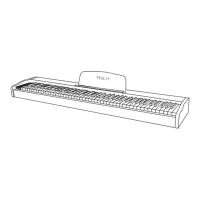
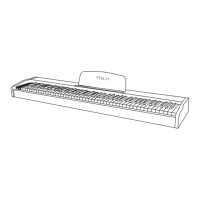
1. Press the "power" switch to the ON position, and the liquid product screen will light up to
enter the performance state.
2. Play music on the piano keyboard.
3. Please turn off the power when not in use temporarily.
Use the "Volume" adjusting knob to increase or decrease the piano volume. Please adjust
the volume to a satisfactory position.
1. Press the voice button to enter the voice mode
2. Press "Select+" "Select -" to adjust the voice and select the voice you want
1. Start the synchronous playing mode before the chord starts.
2. Press the chord key to enter the keyboard chord mode
3. Play single-fingered chord and multi-fingered chord fingering
1. Start the synchronous accompaniment performance mode before inserting the rhythm.
2. Press the insert key to start the inserted rhythm melody
1. Press the shift key to enter the shift adjustment mode
2. Press "Select+" "Select -" to adjust and select the tone you need
1. Start the performance mode before adjusting the speed.
2. Press the "Speed" key to enter the speed adjustment mode.
3. Press "Select+" "Select -" to adjust and select the speed you need
1. Press the metronome key to enter the metronome mode
2. Press and hold the metronome key for 3 seconds to enter the metronome selection mode
3. Press "Select+" Select - "to adjust and select the metronome beat you need
1. Press the rhythm key to enter the rhythm mode. 2. Press the "Start/Stop" key to start the rhythm.
3. Press "Select+" "Select -" to adjust the rhythm and select the rhythm you need
1. Start rhythm mode before synchronization
2. Press the synchronization key in the rhythm mode to enter the synchronous standby mode
3. Play the Thai chord (keys 1-22 on the left of the keyboard) to enter the partner Tai Yan Tai
The processor chip of this product is complex and similar to the computer system. Sometimes
it can't respond. Please turn off the power switch and then turn it on to work normally.
PIANO PERFORMANC
MODULATION
TIMBRE
RHYTHM
SYNCHRONIZATION
SYNTHETIC CHORD
ACCOMPANIMENT VOLUME
TRANSPOSITION
SPEED
METRONOME
OPERATION GUIDE

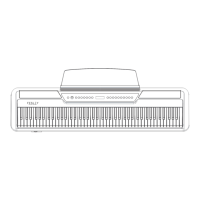

 To Next Page