Need help?
Do you have a question about the FESLEY FEP660 and is the answer not in the manual?
Adopts dream source with digitization sampling for vivid acoustical experience.
Features 380 tones and 128 preset rhythms including various styles.
Includes 88 demo songs, USB/MIDI, and Bluetooth connection details.
Immediate actions required if the instrument exhibits smoke, unusual smells, or overheating.
Precautions for AC transformer use to prevent fire, electric shock, and damage.
Advice on safe volume levels to protect hearing during playback.
Diagram and labels for the digital piano's control panel indicators.
Instructions for audio input, USB/MIDI interfaces, and earphone output.
Steps to turn on the piano and begin playing.
Guide to volume adjustment, timbre selection, rhythm selection, and tempo.
How to use chord accompaniment and start rhythms synchronously.
Guide to setting features like force, rhythmic volume, and shifts.
Using the metronome and playing built-in demo songs.
Functions for recording, splitting keyboard sounds, and using dual tones.
Visual guide to single-finger chord voicings and fingerings.
Visual guide to multi-finger chord voicings and fingerings.
Protecting the instrument from heat, moisture, sunlight, and TV/radio interference.
Advice on cleaning methods and avoiding physical damage from quakes or collisions.
Impact of temperatures and recommendation for a 2-year safe use period.
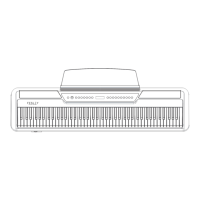
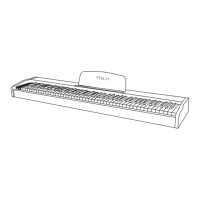
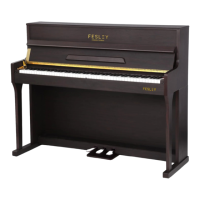
The Fesley FEP660 Digital Piano is an electronic musical instrument designed to provide a rich and versatile playing experience, blending traditional keyboard feel with modern electronic technology. It aims to offer an appealing tone and a wide range of functions for musicians of various skill levels.
The FEP660 features an 88-key keyboard, designed to emulate the feel of a traditional piano. It boasts a comprehensive sound library with 380 tones, including 128 standard General MIDI (GM) tones, providing a diverse palette for musical expression. To further enhance creativity, the instrument includes 128 preset rhythms, covering genres from rock and roll to pop and jazz, allowing users to explore different musical styles and accompaniments. For practice and inspiration, there are 88 built-in demo songs, carefully selected to showcase various musical styles.
The instrument is equipped with an LCD display for easy navigation and feedback on selected functions. Control over the sound is extensive, with master volume and accompaniment volume controls, tempo control, and transpose control. Chord functions are integrated, allowing for accompaniment synchronization and different fingering styles. A keyboard split function enables the player to divide the keyboard into different sections, each with its own instrument sound. Touch control allows for dynamic expression, while a transfer metronome aids in timing and practice.
Connectivity options are robust, including USB/MIDI capability, which allows the piano to connect to computers and other MIDI devices for interaction and music creation. It also features a headphone jack for private practice and a stereo audio input for connecting external audio sources. Bluetooth connectivity is available, allowing users to connect their phone to the piano for audio streaming or other functions.
Piano Performance: To begin playing, simply press the power switch. The digital display will show "001," indicating it's ready for performance. The piano keys can then be used to play music.
Volume Adjustment: The volume knob allows for easy adjustment of the overall sound level, ensuring a comfortable listening experience.
Timbre Selection: To change the instrument sound, press the "TONE" button to enter timbre mode. Use the "Select +" or "Select -" buttons to browse through the 380 available timbres. The selected timbre number will be displayed digitally. The piano defaults to a piano tone when powered on.
Rhythm Selection: For rhythm accompaniment, press the "Rhythm" button to enter rhythm mode. Use "Select +" or "Select -" to choose from the 128 preset rhythms. The corresponding rhythm number will be shown on the display. To start playing the selected rhythm, press "Start/Stop." Press "Start/Stop" again to stop the rhythm.
Speed Adjustment: The tempo of rhythms and other functions can be adjusted using the "TEMPO" button and the "Select +" or "Select -" buttons. The speed control range is from 20 to 280, with a power-up preset of 001.
Chord Accompaniment: To use chord accompaniment, first select a desired rhythm. Press the "INTERATE" buttons simultaneously to enter chord state. Chords can be played on the accompaniment keyboard (the first 34 keys from the left) using different fingerings. Pressing "INTERATE" again will turn off the chord function.
Synchronous Start: For synchronized accompaniment, select a rhythm and set the desired speed and chord accompaniment. In rhythmic state, press the "synch" button to enter synchronous start. Playing chords on the first 34 keys of the keyboard will automatically start the accompaniment. To cancel synchronization, press "Start/Stop."
Feature Settings (SETUP): The "SETUP" key allows access to various settings. The first press enables selection of force (on/off) using "Select +" or "Select -." The second press allows adjustment of rhythmic volume (0-32). The third press enables selection of different shifts (-12 to 12).
Metronome: Pressing the metronome button activates the metronome function, indicated by a lit light. Pressing it again turns the metronome off.
Built-in Demo Songs: To play demo songs, press the "demo" button. This will display the current demo number and start playback. Pressing the button again stops the demo. While in demo mode, "Select +" or "Select -" can be used to choose different demo songs.
Recording: The FEP660 supports key disc note recording. Pressing the "REC" buttons simultaneously enters recording mode, indicated by "REC" on the display. The instrument can record up to 5000 notes. To play back recorded notes, press the "play" button, which will display "PLY."
Keyboard Split Function: To split the keyboard, first enter timbre mode and select a main timbre. Press the "SPLIT" button, then use "Select +" or "Select -" to choose a second tone. The keyboard will then play different instrument sounds on each side. Pressing "SPLIT" again cancels the segmentation and returns the keyboard to a normal tone state.
Dual Tone Function: To layer two tones, enter timbre mode and select a main timbre. Press the "DUAL" button, then use "Select +" or "Select -" to choose a second tone. When playing the keyboard, both selected timbres will sound simultaneously. Pressing "DUAL" again returns to the normal tone state.
Audio Input: For connecting external audio signals, ensure the external audio source's volume is turned down before connecting. Use a standard connecting wire (e.g., for MP3 players or DCDs). Adjust the volume to a satisfactory level after connection.
USB/MIDI Interfaces: The USB or MIDI terminals allow connection to computers or other MIDI devices, facilitating interaction and music creation.
Earphone Output: The instrument has two earphone output jacks. Before connecting earphones, turn down the digital keyboard's volume. Adjust the volume to a comfortable level after connection.
Bluetooth Connection: To connect via Bluetooth, open your phone's Bluetooth settings and search for the device named "PIANO AUDIO." The first-time login password is "8888." Complete the connection process.
General Maintenance: Proper care and maintenance are crucial for extending the product's service life and reducing faults.
Environmental Considerations:
Cleaning: Do not use paint, thinner, or similar chemicals to clean the instrument, as these can cause damage.
Safety Warning:
 General
| Model | FEP660 |
|---|---|
| Keys | 61 |
| Effects | Reverb, Chorus |
| Connectivity | USB |
| Power Supply | batteries |

 To Next Page