Need help?
Do you have a question about the FESLEY FEP1000 and is the answer not in the manual?
Important safety information regarding the use of the digital piano.
Email support@fesleymusic.com for direct assistance and inquiries.
Introductory message and a comprehensive list of digital piano functions.
Explanation of tone, rhythms, demo songs, USB/MIDI, and Bluetooth.
Warnings for smoke, peculiar smell, overheat, and volume levels.
Guidelines for safe use and handling of the AC transformer.
Graphic representation and instructions for product installation.
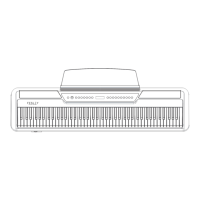
Identification and function of buttons and indicators on the panel.
Details on audio input, USB/MIDI, and earphone output terminals.
Explanation and labeling of various input/output jack sockets.
Instructions for piano performance, volume, timbre, rhythm, and tempo.
Details on chord accompaniment, synchronous start, and setup options.
Using the metronome function and selecting built-in demo songs.
Instructions for recording musical notes and playing them back.
How to split the keyboard and combine two tones simultaneously.
List of piano, organ, guitar, brass, and string instrument sounds.
Details on synth, percussion, folk, woodpipe, and other instrument sounds.
Further piano and organ tones, including detuned and velocity cross variations.
Additional brass, guitar, pipe, and synth instrument sounds.
Categorized list of rhythms including 8 Beat, Ballad, 16 Beat, Latin, Country, Rock R&B, World Music, Dance, Jazz & Swing, Traditional.
Specific rhythm names and styles within each category.
List of demo songs categorized by style or number.
Specific names of demo songs available on the instrument.
Diagrams for single finger chord voicings (M, m, 7, m7).
Diagrams for multi-finger chord voicings.
Diagrams for extended chords like Aug, Sus4, Add9, and m7-5.
Safety warning regarding product use and recommended service life.
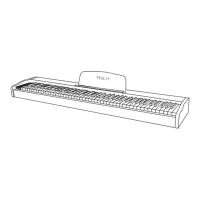
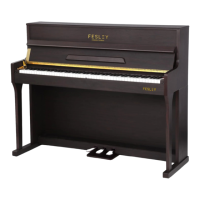
The Fesley FEP1000 Digital Piano is an elegant and refined musical instrument that combines the traditional feel and timbre of acoustic keyboards with modern electronic technology. This instruction manual provides comprehensive details on its functions, technical specifications, usage, and maintenance.
The FEP1000 Digital Piano boasts a rich set of features designed to enhance the playing experience for musicians of all levels. At its core, it features an 88-key keyboard, offering a full range for expressive performance. The instrument includes 380 tones, providing a wide variety of sounds, including 128 standard GM tones, ensuring versatility across different musical genres. For rhythmic accompaniment, it offers 128 preset rhythms, encompassing styles from rock and roll to pop and jazz, allowing users to explore diverse musical feelings. Additionally, the piano comes with 88 demo songs, carefully selected to showcase various styles and inspire creativity.
Beyond its core sound and rhythm capabilities, the FEP1000 incorporates several advanced functions. It features an LED display for clear visual feedback. Users have control over master volume and accompaniment volume, as well as tempo and transpose settings. Chord functions, including accompaniment synchronization, simplify playing with backing tracks. The keyboard split function allows for different instrument sounds to be assigned to different sections of the keyboard, while the dual tone feature enables two resonant timbres to be played simultaneously. Touch control and a metronome function further enhance practice and performance.
Connectivity options are robust, with USB/MIDI capability for connecting to computers and other MIDI devices, facilitating interaction and music creation. For audio output, it includes a headphone jack and stereo audio input, allowing for private practice or connection to external sound systems. A notable modern feature is Bluetooth connectivity, enabling wireless connection to a phone or other Bluetooth devices for audio streaming or control.
While specific technical parameters like polyphony or speaker wattage are not explicitly detailed, the manual highlights key aspects of the piano's sound generation and connectivity. The "Appealing tone" section mentions that the FEP1000 adopts a "dream source" with digitization sampling, which is responsible for providing a vivid acoustical experience. The inclusion of 380 tones, with 128 standard GM tones, indicates a broad sound palette. The 128 preset rhythms offer a wide range of rhythmic possibilities.
The USB/MIDI terminal is a crucial specification, as it allows the digital keyboard to function as a MIDI controller or sound module when connected to a computer or other MIDI-compatible instruments. The Bluetooth connection, with a first-time login password of "8888" and a device name "PIANO AUDIO," ensures secure and convenient wireless integration. The presence of two earphone output faucets suggests the ability for two users to listen simultaneously, which is useful for teaching or collaborative practice. The power supply is specified as DC 12V, indicating its power requirements.
The FEP1000 is designed for intuitive operation. Basic piano performance involves simply pressing the power switch, which displays "001" on the digital display, and then playing the keys. Volume adjustment is managed via a dedicated knob.
Timbre selection is straightforward: press the "TONE" button to enter timbre mode, then use "select +" or "select -" to browse and select from the available timbres, with the corresponding number displayed digitally. The piano defaults to a piano tone upon power-up.
Rhythm selection follows a similar pattern: press the "Rhythm" button, then use "Select+" or "Select-" to choose a rhythm. The "Start/Stop" key initiates and halts rhythm playback. Tempo adjustment is controlled by the "TEMPO" button in conjunction with "Select+" or "Select-," with a range of 20-280.
Chord accompaniment can be activated by pressing the "INTEGRATE" buttons simultaneously, allowing chords to be played on the left-hand section of the keyboard (1-34 keys). Accompaniment synchronization starts the backing track automatically when chords are played.
The "SETUP" key provides access to advanced settings, allowing users to adjust touch sensitivity (force to turn on or off), rhythmic volume (0-32), and transpose shifts (-12 to 12). The metronome function is toggled by its dedicated button.
Recording is initiated by simultaneously pressing the "REC" buttons, entering a mode that can record up to 5000 notes. Recorded notes can then be played back using the "PLAY" button.
The keyboard split function, activated by the "SPLIT" button, allows different instrument tones to be assigned to separate keyboard sections. The dual tone function, activated by the "DUAL" button, enables two timbres to sound simultaneously. Both split and dual tone functions can be deactivated by pressing their respective buttons again.
The manual emphasizes the importance of proper maintenance to prolong the product's service life and minimize faults. Key maintenance guidelines include:
The FEP1000 is an electronic and electrical product. The manual states that the long-term use of circuit components may lead to failures, recommending a safe use period of 2 years. After this period, regular inspection is advised, and if any problems are found, the product should not be used further to prevent safety accidents. This highlights the manufacturer's commitment to user safety and product longevity through responsible usage and maintenance.
 General
| Brand | FESLEY |
|---|---|
| Model | FEP1000 |
| Category | Musical Instrument |
| Language | English |

 To Next Page