EasyManua.ls Logo

Festo CPV -GE-DN2-8 - User Manual

Festo CPV -GE-DN2-8
122 pages
Print Icon
To Next Page IconTo Next Page
Loading...
Electronics manual
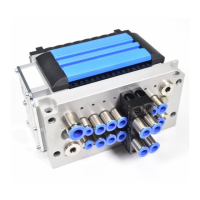
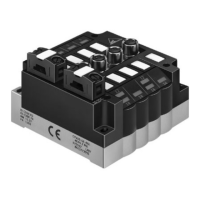
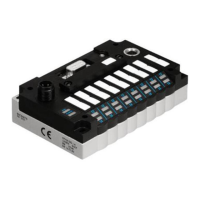
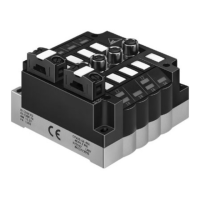
CPV valve terminal
with
direct connection
Type
CPV..-GE-DN2-8
Field bus protocol:
- DeviceNet
Manual
526 017
en 0107NH
[657503]
Compact performance

Table of Contents

Question and Answer IconNeed help?

Do you have a question about the Festo CPV -GE-DN2-8 and is the answer not in the manual?

Summary

1. Installation

1.1 General instructions on installation

Provides essential guidelines and safety precautions for installing the CPV valve terminal.

1.2 Setting the CPV Direct

Details the procedures for configuring the CPV Direct, including switch module adjustments.

1.3 Connecting to the field bus

Explains how to connect the valve terminal to the field bus, covering cables and protocols.

1.4 Bus termination with terminating resistors

Describes the proper use of terminating resistors for bus segment integrity.

1.5 Power supply

Covers the selection and connection of the power supply unit for the CPV Direct.

1.6 Extending the CPV Direct

Instructions on connecting additional modules to expand the CPV system.

2. Commissioning

2.1 Preparing the CP valve terminal for commissioning

Steps to get the CP valve terminal ready for operation, including voltage checks.

2.2 Commissioning on the DeviceNet

Guides on configuring and integrating the CPV Direct with the DeviceNet network.

3. Diagnosis

3.1 Diagnosis by means of LEDs

Explains how to interpret the status indicators (LEDs) on the CPV Direct for diagnostics.

3.2 Error search when bus is started

Procedures for troubleshooting issues that arise during the bus startup phase.

3.3 Reaction to faults in the control system

Describes how the system's outputs behave during control or communication faults.

3.4 Diagnosis on the DeviceNet

Methods for diagnosing problems specifically within the DeviceNet network.

3.5 Short circuit;overload

Details on identifying and clearing short circuit or overload conditions.

A. Technical data and accessories

A.1 Technical specifications

Lists the technical parameters, environmental conditions, and electrical ratings of the device.

A.2 Accessories

Provides a summary of necessary and useful accessories for the CPV system.

A.3 Compatibility of the CPV..-GE-DN2-8 to earlier products

Information on adapting the new CPV Direct model for use with older system configurations.

B. DeviceNet objects

B.1 DeviceNet objects

Details the representation of the CPV Direct within the DeviceNet object model and supported classes.

C. Index

Summary

1. Installation

1.1 General instructions on installation

Provides essential guidelines and safety precautions for installing the CPV valve terminal.

1.2 Setting the CPV Direct

Details the procedures for configuring the CPV Direct, including switch module adjustments.

1.3 Connecting to the field bus

Explains how to connect the valve terminal to the field bus, covering cables and protocols.

1.4 Bus termination with terminating resistors

Describes the proper use of terminating resistors for bus segment integrity.

1.5 Power supply

Covers the selection and connection of the power supply unit for the CPV Direct.

1.6 Extending the CPV Direct

Instructions on connecting additional modules to expand the CPV system.

2. Commissioning

2.1 Preparing the CP valve terminal for commissioning

Steps to get the CP valve terminal ready for operation, including voltage checks.

2.2 Commissioning on the DeviceNet

Guides on configuring and integrating the CPV Direct with the DeviceNet network.

3. Diagnosis

3.1 Diagnosis by means of LEDs

Explains how to interpret the status indicators (LEDs) on the CPV Direct for diagnostics.

3.2 Error search when bus is started

Procedures for troubleshooting issues that arise during the bus startup phase.

3.3 Reaction to faults in the control system

Describes how the system's outputs behave during control or communication faults.

3.4 Diagnosis on the DeviceNet

Methods for diagnosing problems specifically within the DeviceNet network.

3.5 Short circuit;overload

Details on identifying and clearing short circuit or overload conditions.

A. Technical data and accessories

A.1 Technical specifications

Lists the technical parameters, environmental conditions, and electrical ratings of the device.

A.2 Accessories

Provides a summary of necessary and useful accessories for the CPV system.

A.3 Compatibility of the CPV..-GE-DN2-8 to earlier products

Information on adapting the new CPV Direct model for use with older system configurations.

B. DeviceNet objects

B.1 DeviceNet objects

Details the representation of the CPV Direct within the DeviceNet object model and supported classes.

C. Index

Festo CPV -GE-DN2-8 Specifications

General IconGeneral
Protection classIP65
Mounting positionAny
Nominal operating voltage DC24 V
Product weight0.3 kg
Connection typeFieldbus interface

Related product manuals