5 Intended use
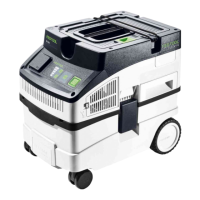
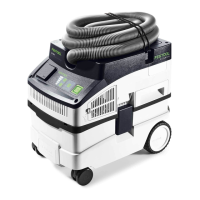
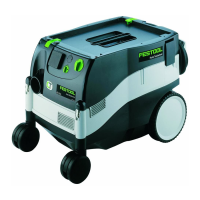
Mobile dust extractor suitable for
– Extracting non-hazardous dust, dirt, sand
and chips,
– Extracting water,
– Increased loads during commercial use,
according to IEC/EN 60335-2-69.
The mobile dust extractor is only suitable for
indoor use.
The user is liable for improper or non-in
tended use.
6 Commissioning
WARNING
Unauthorised voltage or frequency!
Risk of accidents
► Observe the specifications on the ma
chine's name plate.
► Observe country-specific regulations.
6.1 Initial commissioning
► Insert the filter bag [2].
► Connect the suction hose[3].
6.2 Connecting the mobile dust extractor
WARNING
Risk of injury from uncontrolled tool start-
up
► Before switching on ensure that the con
nected tool is switched off.
WARNING
Risk of injury from electric current
► Insert the mains plug into an earthed sock
et.
► Do not reach into the electrical outlet mod
ule on the mobile dust extractor.
While the mobile dust extractor is connec
ted to the mains socket, an electric cur
rent is running through electrical outlet
module on the mobile dust extractor at all
times.
Connecting the mobile dust extractor to a
mains socket
The mobile dust extractor is switched off.
► Connect the power cable to a mains socket.
The electrical outlet module [1-1] is live.
Switching the mobile dust extractor to standby
mode
► Press the on/off switch[1-10].
The electrical outlet module [1-1] is live.
The green LED [1-12] indicates standby
mode.
Starting the mobile dust extractor automati
cally
The mobile dust extractor is in standby mode.
► To start the mobile dust extractor automati
cally: Switch on the connected tool.
Starting the mobile dust extractor manually
The mobile dust extractor is in standby mode.
► Press the MAN button [1-11].
Pull the mains plug from the socket when
you are not using the mobile dust extrac
tor and before performing any cleaning and
maintenance work.
6.3 Connecting power tools
WARNING
Risk of injury
► Observe the maximum electrical outlet
module connected load (see section "Tech
nical data").
► Switch off the power tool.
Connecting a mains-powered power tool to the
mobile dust extractor
► Connect the power tool to the electrical out
let module [1-1].
The power tool is connected to the mobile dust
extractor via the power cable.
7 Settings
7.1 Adjusting the suction power
► Press the plus or minus button [1-12] while
extracting.
7.2 Connecting sleeve
The bypass function of the connecting sleeve
prevents strong suction from sanding machines
and floor nozzles on smooth surfaces.
Open
► Turn the adjusting ring to the "OPEN" posi
tion.
Close
► Turn the adjusting ring to the "CLOSE" posi
tion.
English
15






 To Next Page