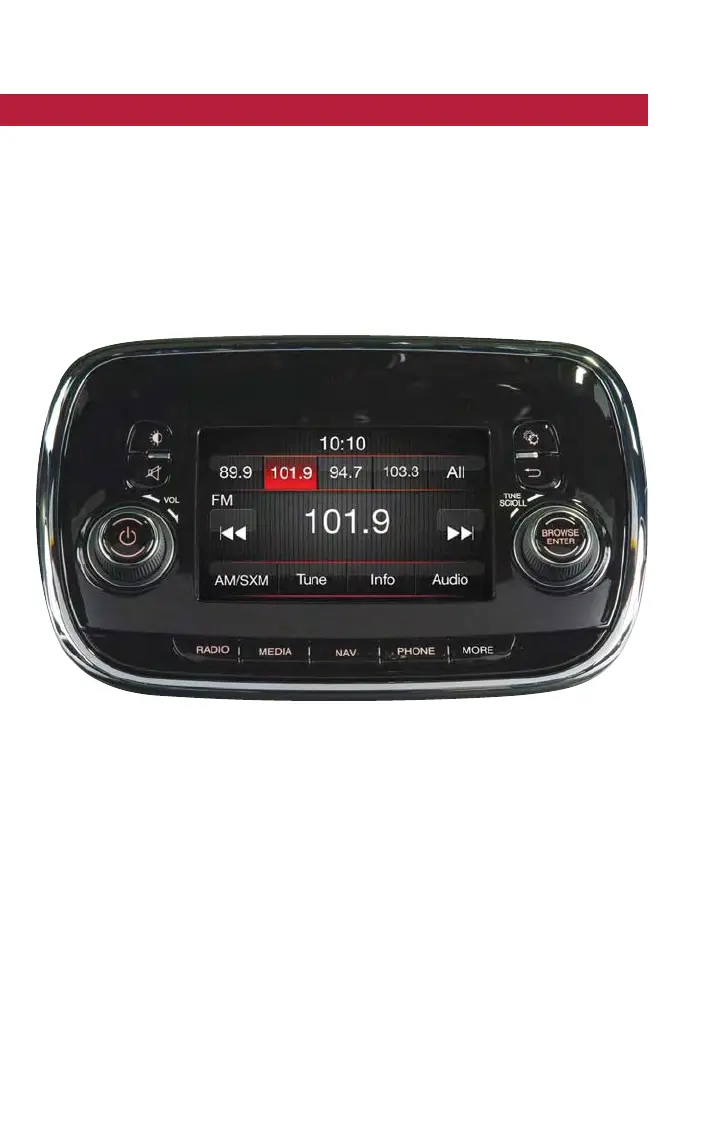
UCONNECT 5.0 VOICE RECOGNITION QUICK TIPS
Introducing Uconnect
Start using Uconnect Voice Recognition with these helpful quick tips. It provides the key
Voice Commands and tips you need to know to control your Uconnect 5.0 system.
Key features:
• Five-inch Color Touchscreen Display with AM/FM/USB/Bluetooth
• Bluetooth with integrated voice control
Get Started
1. Visit UconnectPhone.com to check mobile device and feature compatibility and to
find phone pairing instructions.
2. Reduce background noise. Wind and passenger conversations are examples of noise
that may impact recognition.
3. Speak clearly at a normal pace and volume while facing straight ahead. The micro-
phone is positioned on the rearview mirror and aimed at the driver.
4. Each time you give a Voice Command, you must first press either the VR or Phone
button, wait until after the beep, then say your Voice Command.
Uconnect 5.0 Radio
ELECTRONICS
78



 To Next Page