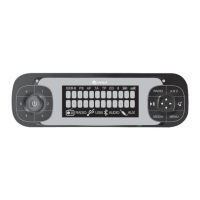
Button Short press (less than 1 second)
Long press (more than
1 second)
❒ Acceptance of incoming call
❒ Display of last calls made
❒ Passing from one telephone conversation to another in second call mode (call notification)
❒ Call selected or composed contact/number
-
❒ Activation of Blue&Me™ main menu
-
❒ Rejection of incoming call
❒ Ending of call in progress
-
❒ Activation of voice recognition
❒ Interruption of the voice message in order to give a new voice command
❒ Repetition of the last
voice message given by
the system
/
Pressing the centre of the left wheel:
❒ deactivation of voice recognition
❒ interruption of voice message
❒ interruption of SMS message reading
❒ exit from Blue&Me™ Main Menu
❒ exit from a submenu and return to previous menu option
❒ exit from the current selection without saving
❒ deactivate/reactivate the microphone during a phone conversation
❒ resetting of call tone volume for incoming call
❒ Media Player Pause on/off
-
+/-
Turning left wheel upwards or downwards:
❒ adjust the audio volume for Blue&Me™ system functions: hands-free, SMS message
reader, Media player, voice announcements
-
/
Turning right wheel upwards or downwards:
❒ Scrolling through the Blue&Me ™ menu
❒ Media Player track selection
❒ Scrolling through SMS messages in the list
-
183


 To Next Page