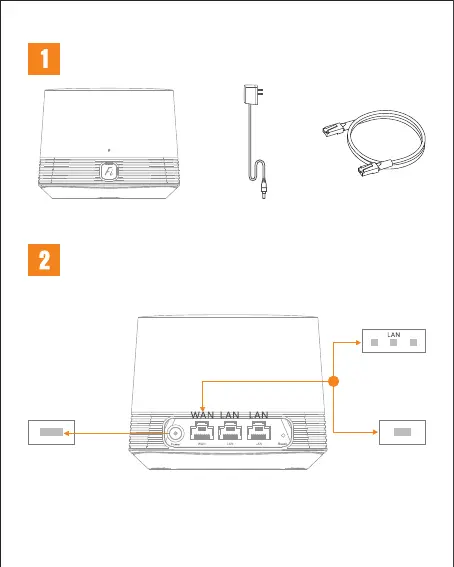
Network cablex1
Power adapterx1
Smart Router x1
Connect the router to the power and connect the WAN port
to the broadband network.
Optical modem/
Broadband modem
or
Packing List
Installation Instructions
*The first network port on the right side of the power hole is the WAN port, and the second, third
network port is LAN port.
If the router LED indicator is red and the network is not connected, please refer to "Configuring
the Router".
When the router LED
indicator turns green, the router has been successfully installed.
Wall network socketPower supply socket


 To Next Page