Configuring the Router
3.1 Configure using APP (recommended)
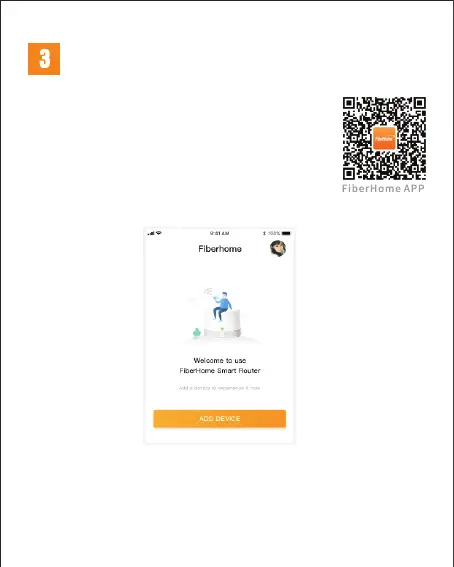
1、Scan the QR code on the right, download and install
"FiberHome" APP and register to login to the home
page;
*
This APP can manage routers such as remote control, smart
connection, open Wi-Fi timer, open guest Wi-Fi, etc.
2、Open the app and click "Add Device";


 To Next Page
 Loading...