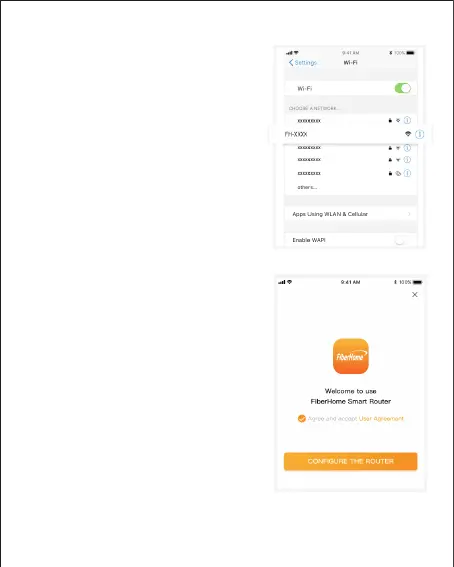
3、Open the mobile phone WLAN settings
page, select and connect the FH-
Wi-Fi network (Wi-Fi name and
password to view the bottom label
the router);
*
If the mobile phone system is Android, please
connect WiFi according to the Android interface
prompts.
XXXX
of
4、Return to the APP, click “configure the
routing will automatically detect the I
nternet access method;
"

 To Next Page
 Loading...