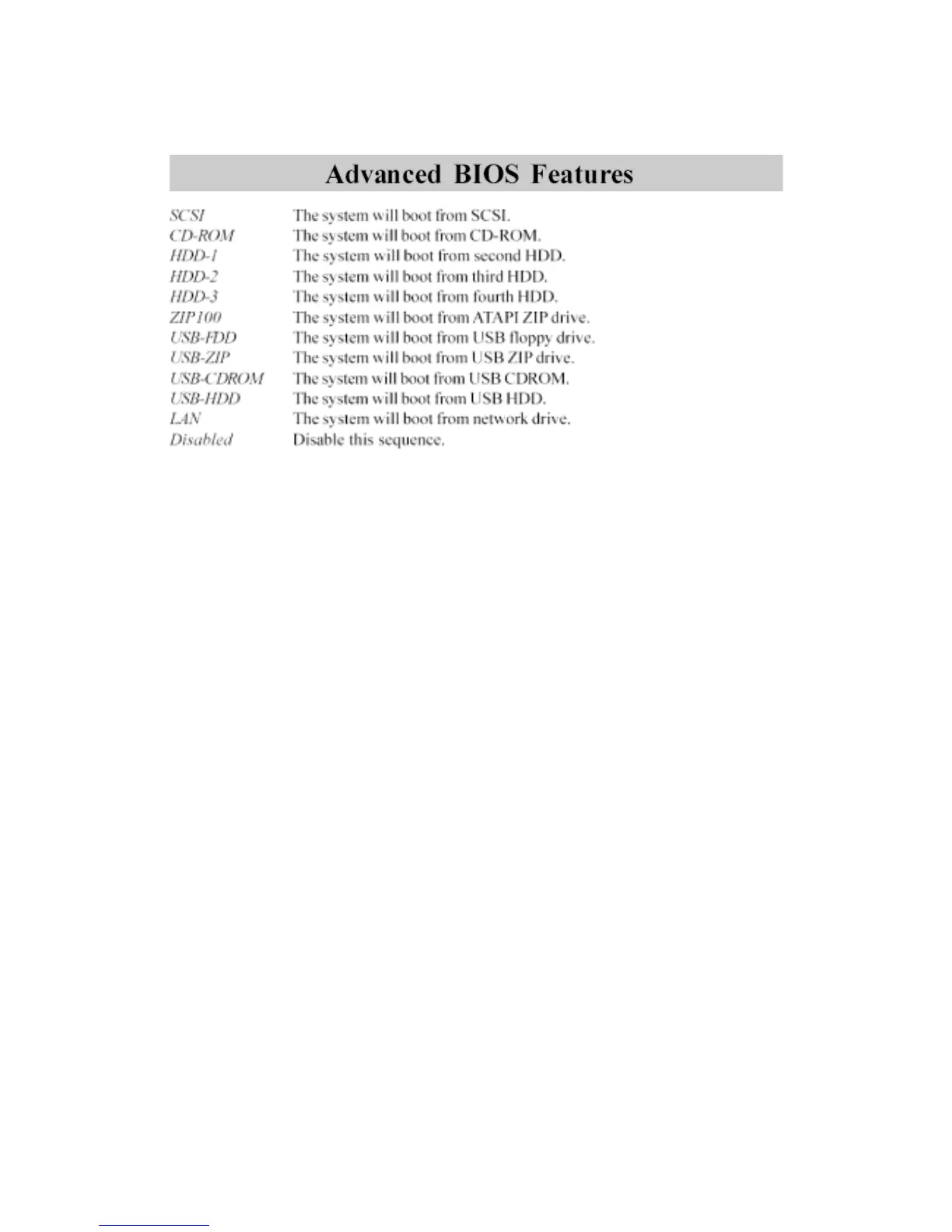
Boot Other Device
Enable the system to boot from other devices if the system fails to boot from
the First/Second/Third boot device. Settings: Enabled and Disabled.
Swap Floppy Drive
If the system has two floppy drives, choose enable to assign physical drive B
to logical drive A and vice-versa. Settings: Enabled and Disabled.
Boot Up Floppy Seek
Set floppy seek during POST, BIOS will determine whether the floppy is 40 or
80 tracks. Settings: Enabled and Disabled.
Boot Up NumLock Status
Set the NumLock status when the system is powered on. “On” will turn key
pad into number keys, and “Off” will turn key pad into arrow keys. Settings: On
and Off.
Typematic Rate Setting
Set the typematic rate and delay. Settings: Enabled and Disabled.
Typematic Rate (Chars/Sec)
When Typematic Rate Setting is enabled. This item allows you to set the rate
(characters/second) at which the keys are accelerated. Settings: 6, 8, 10, 12,
15, 20, 24 and 30.
3-9



 To Next Page