QUICK START GUIDE
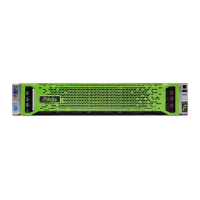
Fidelis Network™ Sensor Appliances
www.fidelissecurity.com ©Fidelis Cybersecurity
Technical Support
For all technical support related to this product, check with your site administrator to determine
support contract details. For support of your product, contact your reseller. If you have a direct
support contract with Fidelis Cybersecurity, contact the Fidelis Cybersecurity support team at:
• Phone: +1 301.652.7190
• Toll-free in the US: 1.800.652.4020 – Use the customer support option.
• Email: support@fidelissecurity.com
• Web: http://www.fidelissecurity.com/customer-support/login
Sensor Setup Checklist
Fidelis Network Sensor – Appliance Requirements
Appropriate rack space, power, and cooling (Appendix B)
Rack tools, rails, and connectors
Keyboard and video monitor / KVM switch for temporary appliance setup
Power cables — two per appliance, appropriate for power source and region
Ethernet cables (cat5 and optical) for Admin, Monitor, and iLO ports (Section 3)
Network switches with enough physical ports (Section 4)
Optical transceivers for switches
Logical network information: IP addresses, hostnames (Section 5, Appendix A)
For Fidelis Network Software version 8.3.4 and later, the appliance system type (Appendix C)
…also needed for Fidelis Network Cloud
Connection information from Fidelis Customer Support
Fidelis Network Cloud - Quick Start Guide


 To Next Page