QUICK START GUIDE
Fidelis Network™ Sensor Appliances
www.fidelissecurity.com ©Fidelis Cybersecurity
1. System Overview
Fidelis Sensors are the components that monitor the network environment for activities that may
indicate advanced threat, malware, and data theft. Fidelis Sensors analyze network traffic, deliver
alerts and session data to CommandPost, and deliver non-selective network session metadata to
Fidelis Collector for retrospective analysis.
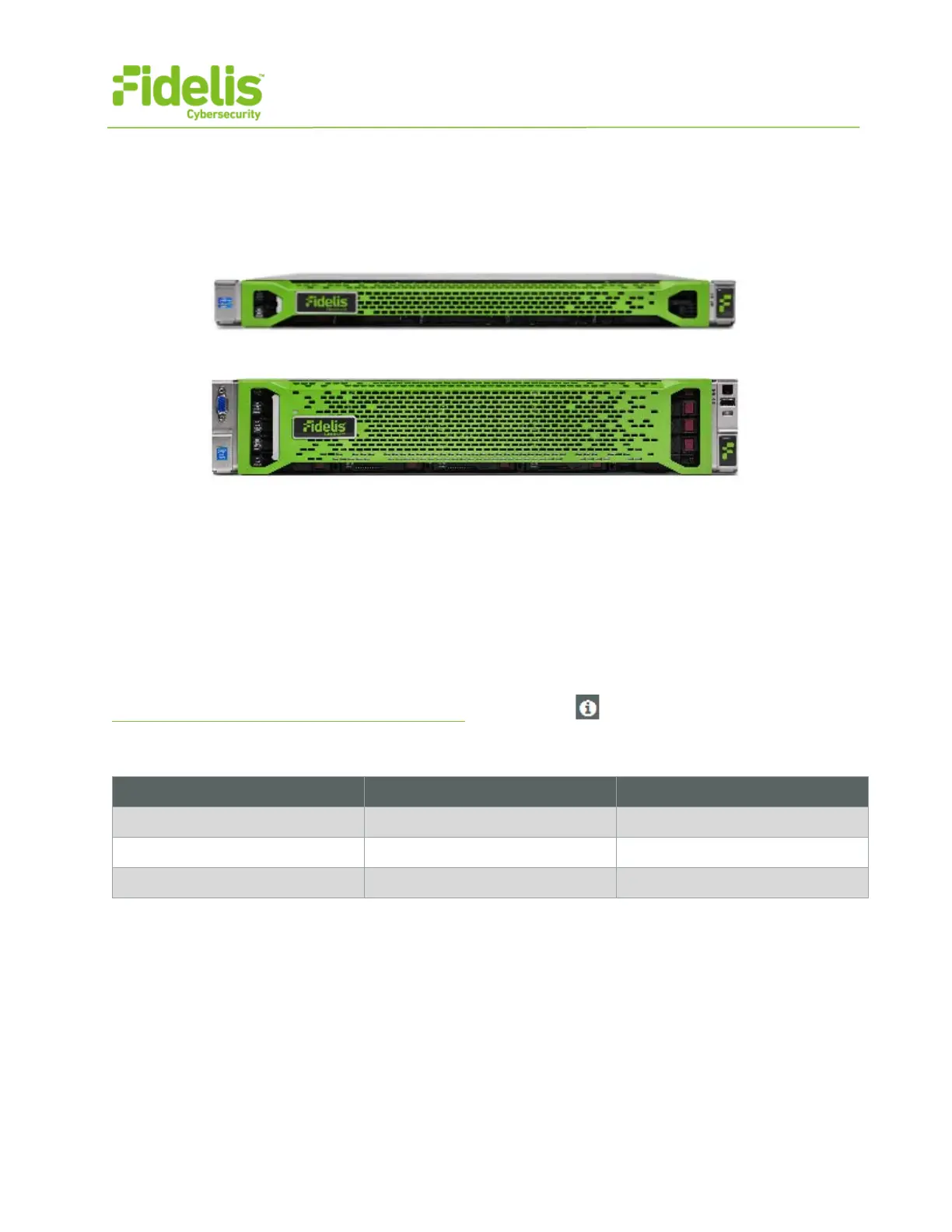
Figure 1: Fidelis Network – Sensor Appliance (1U) Rev-H
Figure 2: Fidelis Network – Direct / Internal 10G Sensor Appliance – Rev-H
Fidelis Sensors report network alerts and network metadata to your on-premises Fidelis Network
Enterprise CommandPost appliance - or - to the remote Fidelis Network Cloud. Your configuration
will depend on which environment you are working with. The following instructions will indicate if they
apply to Enterprise (on-prem), Fidelis Network Cloud, or All Environments.
2. Documentation & References
Fidelis Network product documentation, appliance specifications, and instructions can be found at
http://fidelisssecurity.com/customer-support/login
or through the icon in the CommandPost GUI.
Appliance Default Passwords
fidelis fidelispass
administrator (printed on label, top of server)


 To Next Page