QUICK START GUIDE
Fidelis Network™ High Capacity Collector
www.fidelissecurity.com ©Fidelis Cybersecurity
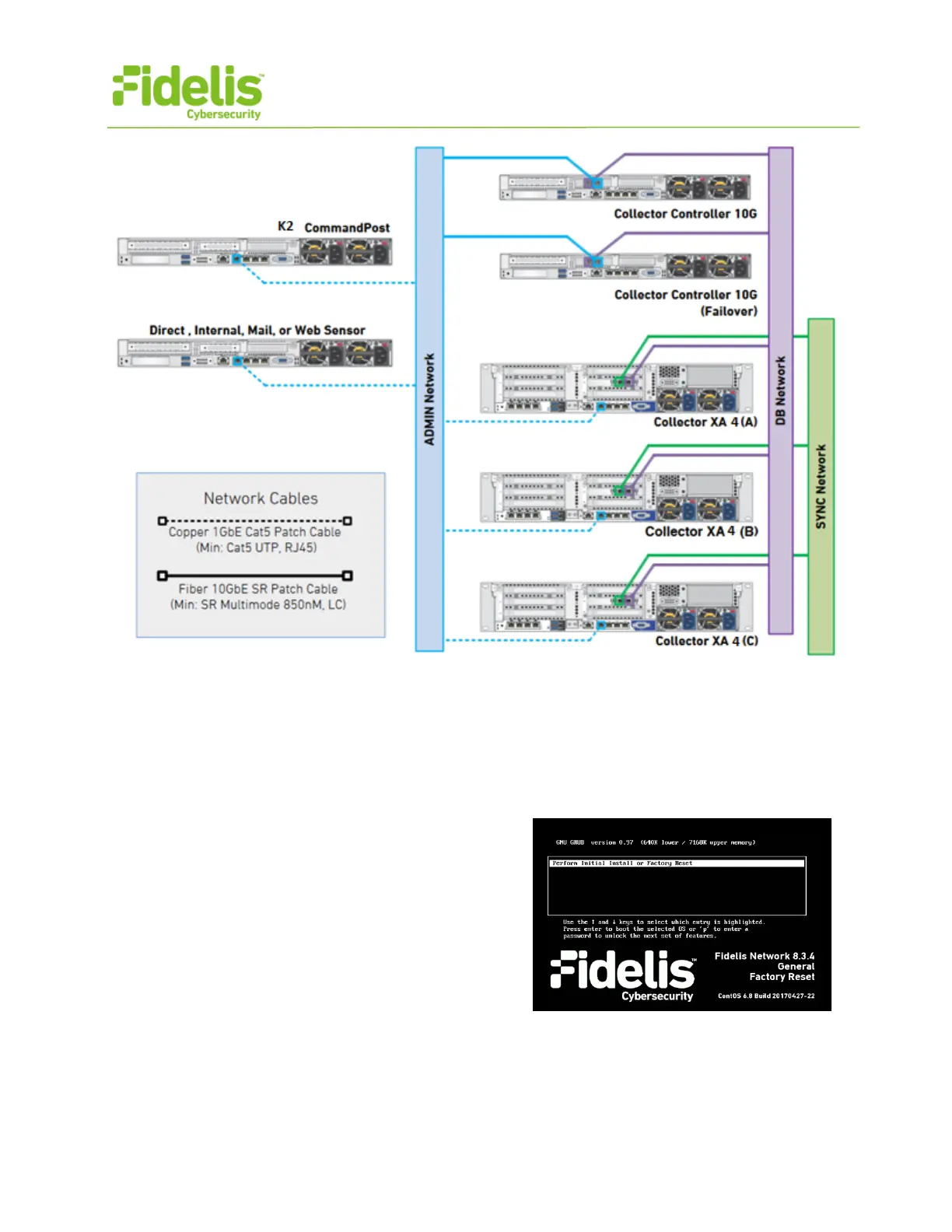
Figure 5: Collector Network Diagram
7. Appliance Network Configuration
1. Power on the Appliance(s).
2. Connect to the component CLI using one of the following methods:
- Via KVM Console: Connect a keyboard
and monitor to the appliance.
For Fidelis Network appliances version 9.0.5
or later, the screen on the right is displayed:
3. If you see the screen above, perform the following steps to apply the software. Otherwise
skip to step 4.
a. With [Perform Initial Install or Factory Reset] selected, press Enter.



 To Next Page