Need help?
Do you have a question about the Fidelity Measurement FM18 and is the answer not in the manual?
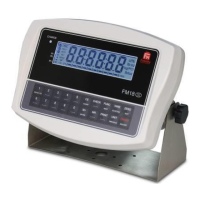
Identifies keys and indicators on the weighing indicator's display and control panel.
Details the physical ports for connecting external devices to the weighing indicator.
Instructions for connecting external devices like load cells, computers, and printers.
A comprehensive table detailing various internal functions and their settings.
Guide to placing objects and initiating the weighing process accurately.
Instructions on how to use the tare function to exclude container weight.
Step-by-step process for manually taring off a container's weight.
Explanation of the automatic tare function (F12) for containers.
Guide to using the piece counting function for inventory management.
Detailed steps for the sampling process in piece count mode.
Instructions for performing percentage calculations.
Guide to using the specialized animal weighing function with various settings.
Steps for weighing animals, including freezing the reading and manual updates.
Details on using standard and dynamic checkweighing with preset Hi/Lo limits.
Describes the built-in logic for controlling inflow and outflow processes.
Details on constant feeding and dispensing modes and their control parameters.
Specific instructions for the constant feeding mode, including block diagram and sequence.
Specific instructions for the constant dispensing mode, including block diagram and sequence.
Information on creating and using custom printout formats for reports.
 General
| Brand | Fidelity Measurement |
|---|---|
| Model | FM18 |
| Category | Accessories |
| Language | English |


 To Next Page