98
Buttons
Illuminate backlight
Activate Inrush AAC capture mode
Activate wireless to connect to Job Link®
System mobile app
Activate and cycle through Hold, Maximum,
minimum, and real-time measurements
(Press for 1 second to clear and exit)
Deactivate autoranging and select the
range manually
Cycle through displayed values on
applicable switch positions
Measurements Dial
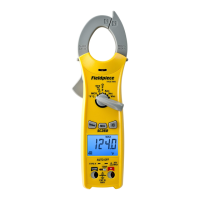
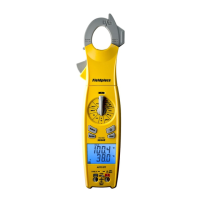
The SC480 is loaded with the measurement
parameters essential for HVACR professionals.
Select the parameter on the dial you want to
measure with the rotating selector switch.
TRUE RMS AUTO OFF
TYPE K 30V MAX
T1
L1
L2
L3
T2
Sync
OFF
Range
Select
H/M/m
SC660
ZERO A
DC
°F °C
TEMP
CAT III
600V
COM
INRUSH
TRUE RMS AUTO OFF
TYPE K 30V MAX
T1
L1
L2
L3
T2
Sync
OFF
Range
Select
H/M/m
SC660
ZERO A
DC
°F °C
TEMP
CAT III
600V
COM
INRUSH
TRUE RMS AUTO OFF
TYPE K 30V MAX
T1
L1
L2
L3
T2
Sync
OFF
Range
Select
H/M/m
SC660
ZERO A
DC
°F °C
TEMP
CAT III
600V
COM
INRUSH
TRUE RMS AUTO OFF
TYPE K 30V MAX
T1
L1
L2
L3
T2
Sync
OFF
Range
Select
H/M/m
SC660
ZERO A
DC
°F °C
TEMP
CAT III
600V
COM
INRUSH
TRUE RMS AUTO OFF
TYPE K 30V MAX
T1
L1
L2
L3
T2
Sync
OFF
Range
Select
H/M/m
SC660
ZERO A
DC
°F °C
TEMP
CAT III
600V
COM
INRUSH


 To Next Page
 Loading...