•
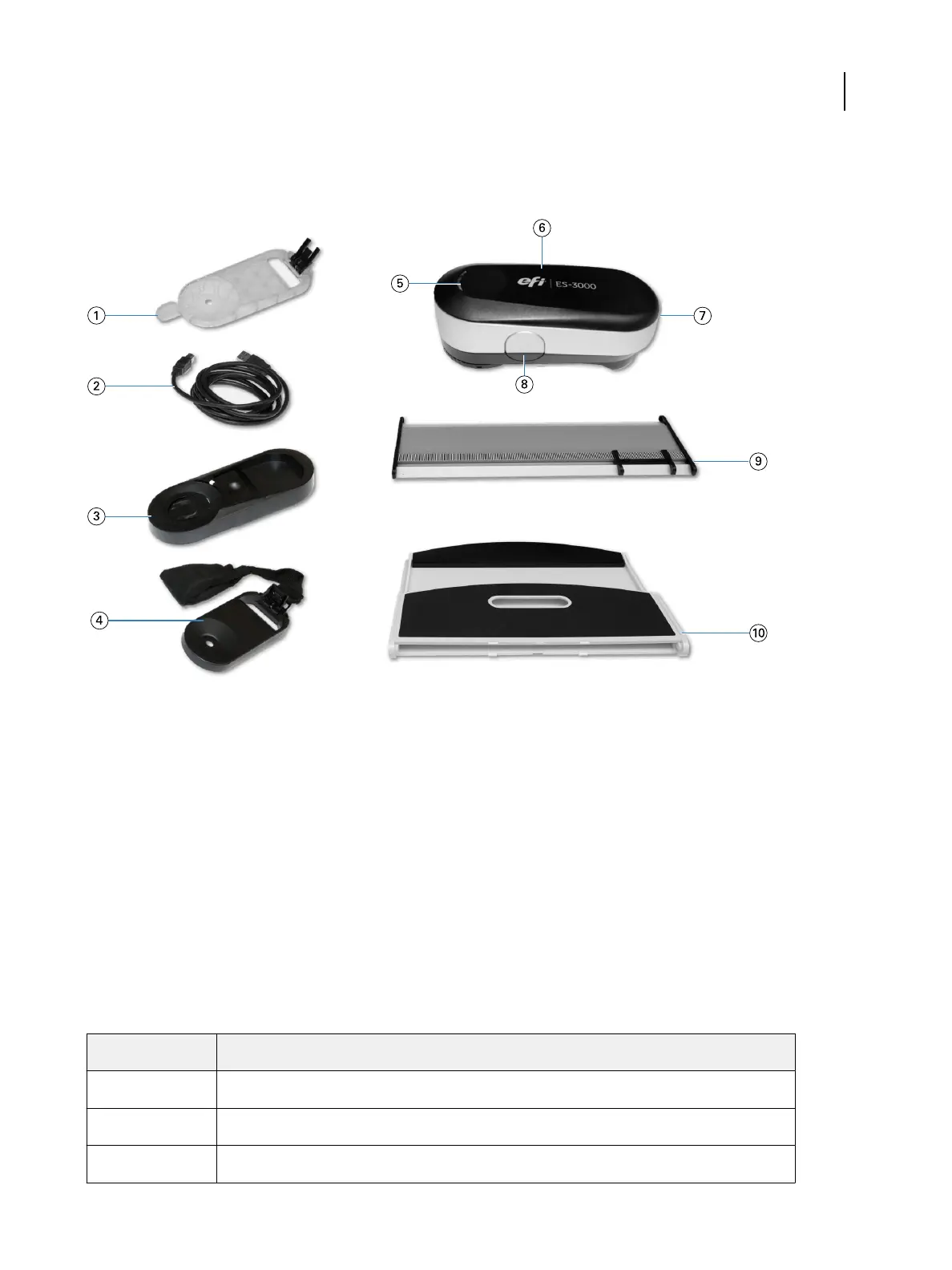
USB cable to connect the ES-3000 to a Windows or MacOS computer
•
Display holder to measure color patches from an LCD screen
Callout Refers to Callout Refers to
1 Targeting base 6 ES-3000 instrument
2 USB cable 7 USB port
3 Calibration plaque 8 Measurement button
4 Display holder 9 Ruler
5 Status LED 10 White backer
Status indicator lights
e ES-3000 is equipped with lights that indicate device status. When the instrument is used with Fiery software,
the lights have the following behavior.
Lights
Status
Off e ES-3000 is not connected to your computer or the software is not running.
Solid white e ES-3000 is connected but needs an initial calibration or the instrument calibration failed.
White, blinking e ES-3000 is ready to take measurements.
Setup Guide
EFI ES-6000 Spectrophotometer
2



 To Next Page