8
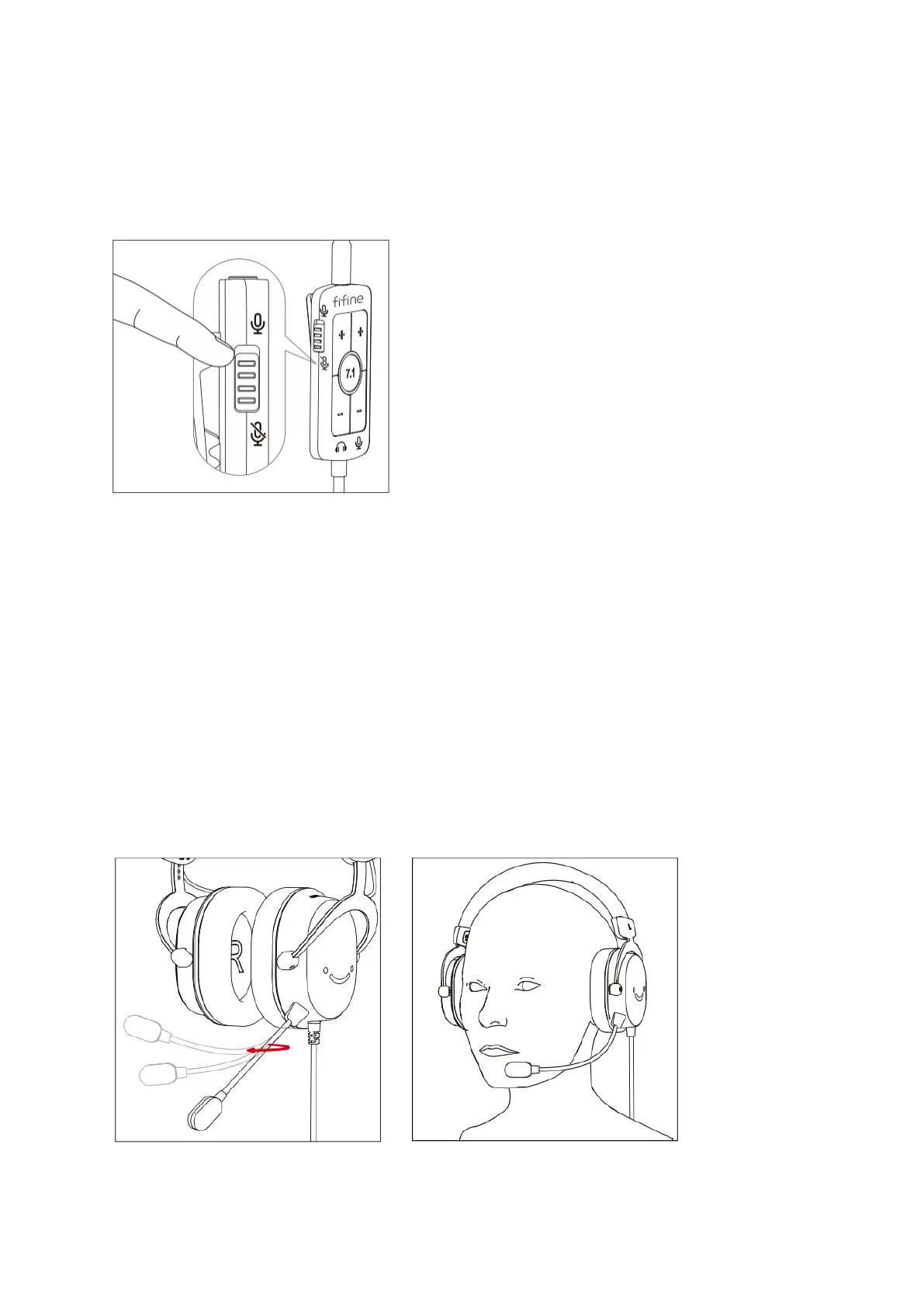
Switching Microphone On and Off
To mute or unmute the microphone, use the microphone on/off switch located on the
side of the in-line control. Simply toggle the switch to turn the microphone on or off,
enabling or disabling its functionality as desired.
Microphone Usage
The gooseneck microphone with an omni-directional pickup pattern provides flexibility
in adjusting both the speaking distance and angle according to your preference. You can
easily modify the position of the microphone to achieve the desired distance and angle.
For optimal performance, it is recommended to position the microphone slightly below
your mouth, ideally at a distance of 2 to 3 centimeters. Additionally, adjusting the
microphone at a 30 to 45-degree angle off-axis from your mouth can help minimize the
pickup of popping sounds.
By following these tips, you can ensure clear and high-quality audio capture while
maintaining comfort during voice communication.


 To Next Page