Step 4:Start riding
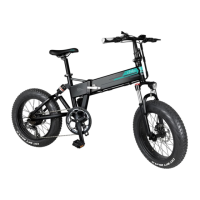
Please take corresponding protection before starting riding.
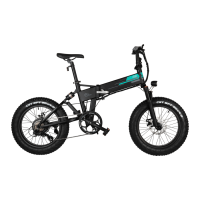
The right side is front brake, the left side is rear brake. While riding, it’s recommended to use the rear brake
first, then the front brake to slow down the speed to stop, in order to avoid the front wheel brake is too urgent,
resulting in the bike center of gravity instability caused by falling accident.
Step 5:Braking introduction
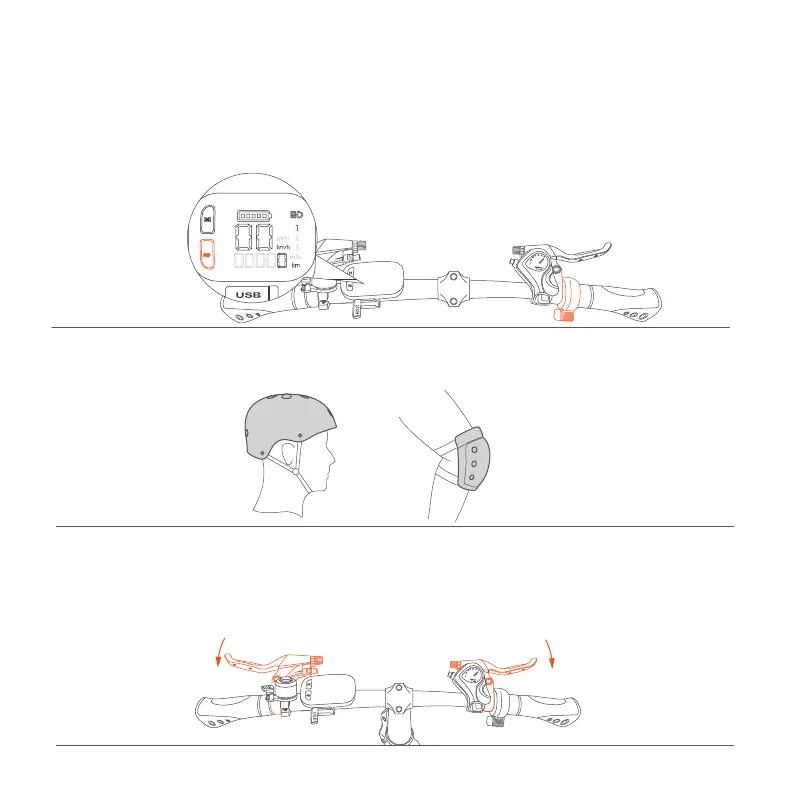
Step 3:Mode switching
12
Switch and choose the riding mode according to the cycling road conditions and personal needs.
① Electric mode:Equipped with pure electric mode, gently press down the electric mode button to switch
to the pure electric mode, the stonger the press, the faster the speed
② Power assisted mode:Equipped with 3 power assisted gears, click the power assisted gear button to
switch the gear. The 1st gear is suitable for relatively flat road conditions, the more/higher the road slope,
the larger gear can be adjusted accordingly.
Attention: When the bike is on PAS 3 status, click the power assisted gear button again and the bike will be on
PAS 0 status, by then the gear display wont't be lighted and the power assisted mode will be turn off. The bike
will be on pedalling mode.


 To Next Page