DAC: rear panel line-out, fixed volume
PRE: rear panel line-out, adjustable volume
HP: front panel headphone out, adjustable volume
3. Multifunction button
Short press: mute/unmute
Long press: stand by/wake up
Operation Explained
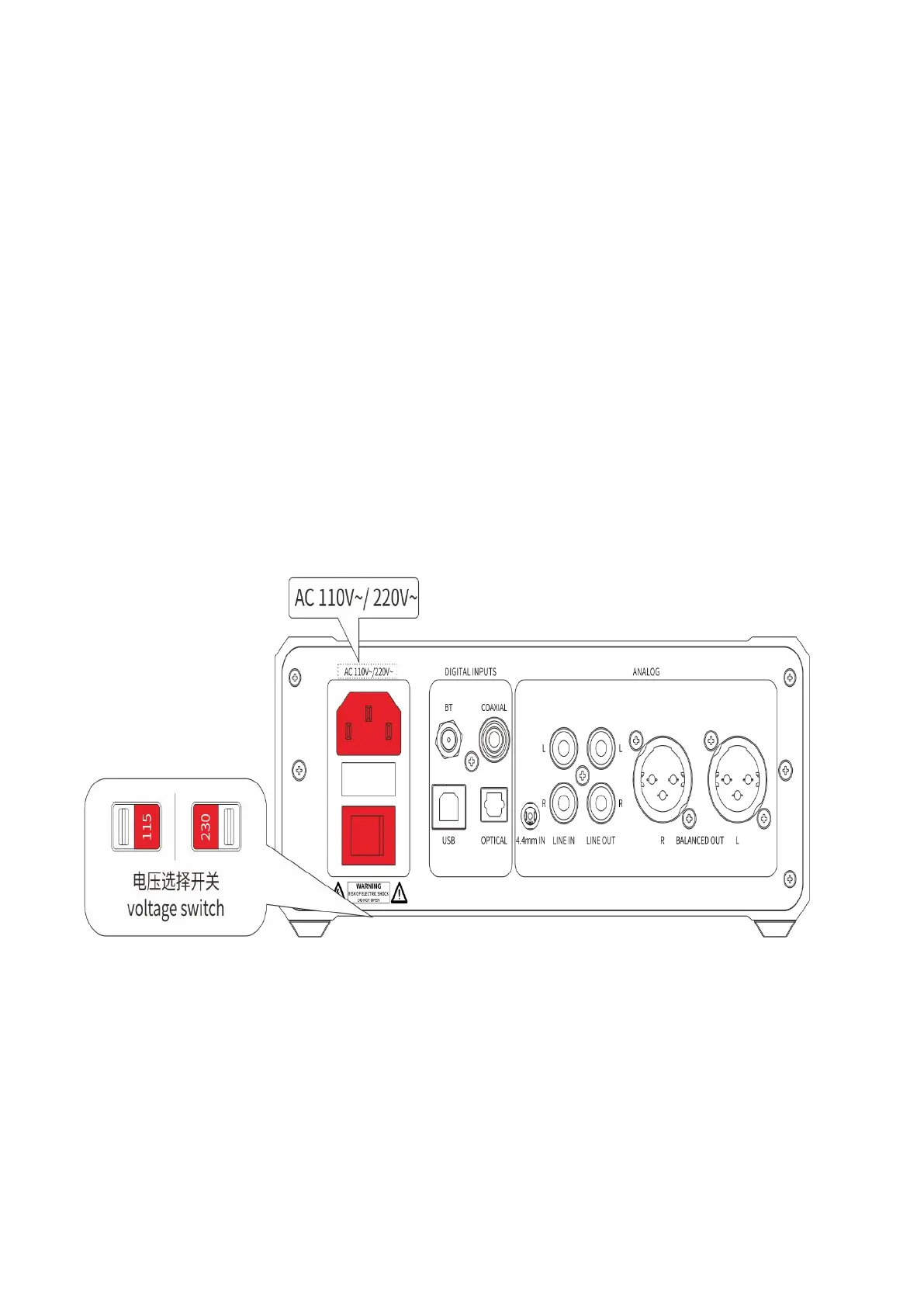
A. Please select the voltage through the voltage switch at the bottom
of the device to corresponding voltage position based on your local
voltage.
B. Connect the source device to the K9 Pro and select the
corresponding input source mode.


 To Next Page