Need help?
Do you have a question about the Fiio Q5 and is the answer not in the manual?
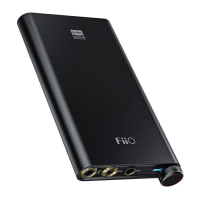
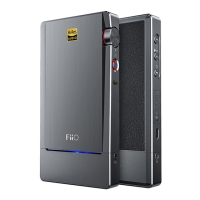
Identifies and labels all physical buttons, ports, and indicators on the device.
Instructions for powering the Q5 on/off and controlling audio volume.
Guide to switching between different audio input methods (USB, Coaxial, Optical, Line, Bluetooth).
Explains the meaning of various status indicator lights for input, DSD, and battery.
Detailed steps for pairing, connecting, and using the Q5 via Bluetooth.
Instructions for connecting and using the Q5 as a USB DAC with computers and mobile devices.
Guide on how to update the Q5's firmware to the latest version.
Critical safety warnings and guidelines for proper and safe use of the device.
Lists all the items that come included in the product package.
Official statement from the FCC regarding device operation and interference.
 General
| DAC Chip | AKM AK4490EN |
|---|---|
| Amplifier Chip | OPA1642 + OPA926 |
| Bluetooth | Yes, Bluetooth 4.2 |
| Battery Capacity | 3800 mAh |
| Headphone Impedance | 16Ω - 300Ω |
| Amplifier Module | AM3A |
| Battery Life | Up to 10 hours |
| Inputs | USB, Optical, Coaxial, Line-in |
| Outputs | 3.5mm, 2.5mm Balanced |
| Dimensions | 124 mm x 64 mm x 16 mm |
| Weight | 195 g |
| Signal-to-Noise Ratio | 115 dB |
| THD+N | <0.002% |

 To Next Page