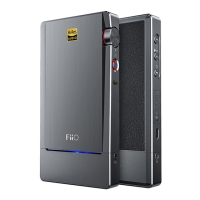
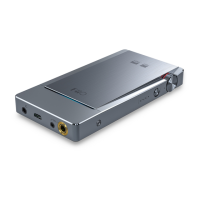
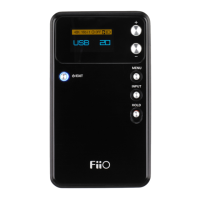
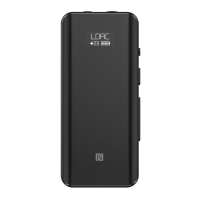
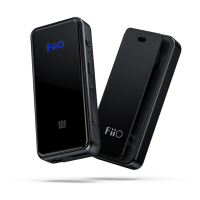
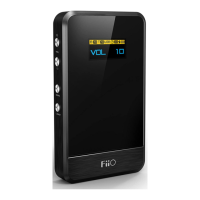
The FiiO Q3 is a portable DAC and headphone amplifier designed to enhance your audio experience, offering versatile connectivity and a range of features for both casual and audiophile users. This quick start guide outlines its functions, usage, and maintenance to help you get the most out of your device.
Function Description
The FiiO Q3 serves as a high-fidelity digital-to-analog converter (DAC) and a powerful headphone amplifier. It takes digital audio signals from various sources, converts them into analog signals, and then amplifies them to drive a wide range of headphones, including those with higher impedance. The device supports multiple input and output options, making it compatible with smartphones, computers, and other audio players.
Key functions include:
- Headphone Outputs: The Q3 features three distinct headphone outputs: a 3.5mm single-ended output, a 2.5mm balanced output, and a 4.4mm balanced output. These options cater to different types of headphones and provide flexibility for users with various audio setups.
- Line-in (Headphone Amp Mode): When not connected to a computer, the 3.5mm port can function as a line-in, allowing the Q3 to act purely as a headphone amplifier for analog audio sources. This mode amplifies input signals and outputs them through the balanced headphone ports.
- USB DAC Mode: The Q3 can function as a USB DAC, converting digital audio from a computer or mobile device into high-quality analog sound. It supports both UAC1.0 (driver-free for Windows 7/8/10) and UAC2.0 (requiring a driver for Windows) protocols. For Mac computers, no driver installation is needed.
- Bass Boost: A dedicated bass switch allows users to enhance the low-frequency response, providing a more impactful audio experience for certain music genres or personal preferences.
- Gain Control: The device offers switchable gain settings (Low Gain and High Gain) to optimize output power for different headphones, ensuring proper volume levels and dynamic range without distortion.
- Digital Filters: Users can switch between different digital filters, which subtly alter the sound characteristics, allowing for a personalized listening experience.
- Charging Functionality: The Q3 can be charged via its USB Type-C port. A charging switch allows users to control whether the device charges when connected to a USB source, which is particularly useful when connecting to mobile devices to conserve their battery life.
- RGB Indicator Light: An RGB LED provides visual feedback on the device's operational status, including power on/off, charging status, battery level, and the sampling rate of the audio being played in USB DAC mode (e.g., blue for PCM≤48KHz, yellow for PCM>48KHz, green for DSD).
Usage Features
Operating the FiiO Q3 is intuitive, with clearly labeled buttons and indicators.
- Power On/Off and Volume Control: The Power/Volume knob is used to turn the device on or off. Turning it clockwise until a click is heard powers on the Q3, and further clockwise rotation increases the volume. Turning it anticlockwise decreases the volume, and continuing until a click is heard powers off the device.
- Gain/Filter/Reset Button: This multi-function button (labeled ⑦) controls several key features:
- Gain Switching: A single press of button ⑦ toggles between Low Gain (green light OFF) and High Gain (green light ON).
- Filter Switching: A double press of button ⑦ cycles through the available digital filters.
- UAC1.0 Mode Entry: To enter UAC1.0 mode, hold button ⑦ while connecting the Q3 to a computer via USB. This allows for driver-free operation on compatible Windows systems.
- Device Reset: Holding button ⑦ for 15 seconds will reset the device, indicated by the RGB indicator light turning off.
- USB DAC Connection:
- For Windows UAC1.0, hold button ⑦ while connecting the USB cable to the computer, then release and select Q3 as the output device.
- For Windows UAC2.0, download and install the USB DAC driver from the FiiO website.
- For MAC computers, simply connect and select Q3 as the output device. It is recommended to set the computer's system output volume to maximum and adjust the Q3's volume knob for optimal control.
- When connecting to an iPhone/iPad/iPod, use the included Lightning to Type C cable. Pay attention to the arrow direction on the cable: the downward arrow connects to the mobile device, and the upward arrow connects to the Q3.
- Line-in Operation: To use the Q3 as a headphone amplifier, ensure it's not connected to a computer. Insert an analog audio cable into the 3.5mm line-in port and your balanced headphones into either the 2.5mm or 4.4mm output. If connected to a computer, stop playback to enable headphone amp mode.
- Charging Control: The charging switch (labeled ⑨) allows you to enable or disable charging when the Q3 is connected to a USB device. Setting it to OFF is recommended when connecting to mobile devices to prevent draining their battery. If the Q3's battery is completely depleted, it will charge regardless of the switch position until fully charged.
- Standby Mode: To conserve power, the Q3 automatically enters standby mode after 5 minutes of inactivity (not charging or working). All indicator lights turn off. To wake it up, turn the device off and then on again, or connect it to a USB device.
Maintenance Features
Proper care and maintenance will ensure the longevity and optimal performance of your FiiO Q3.
- Environmental Considerations:
- Avoid placing the device in environments with excessive high or low temperatures (above 45°C or below 0°C).
- Keep the device away from liquids to prevent damage.
- Battery Care:
- If the device will be unused for an extended period, recharge it periodically to maintain battery life.
- Do not disassemble or damage the battery, and never dispose of it in fire.
- Discontinue use if the battery has been soaked in water.
- System Reset: In case of a system error, hold the RESET button (button ⑦) for 15 seconds to restore normal operation.
- Safe Listening Practices:
- Always adjust the volume to a suitable level before wearing headphones to protect your hearing.
- Avoid wearing headphones in dangerous environments where situational awareness is crucial.
- Included Accessories: The Q3 comes with a comprehensive set of accessories to facilitate its use and protection, including various USB cables (USB A to Type C, Lightning to Type C, Type C to Type C), a 3.5mm audio cable, silicone bands (long and short) for bundling with other devices, a cloth carrying pouch, a silicone pad, a warranty card, and this quick start guide. Ensure all items are present upon unboxing.
For further information and support, users are encouraged to visit the official FiiO website.

 Need help?
 General
 Weight and Dimensions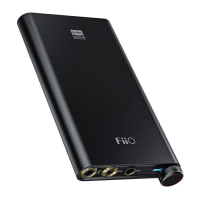

 To Next Page