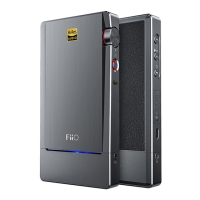
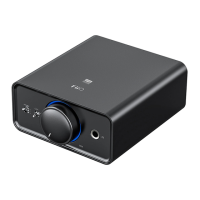
Turn anticlockwise to decrease the volume; turn anticlockwise until a click
sound is heard to turn off the device.
2 Gain/Filter/Reset button/Green indicator light
1) Single press button⑦: switch gains. The OF
F green light means Low Gain,
ON means High Gain.
2) Double press button⑦: switch filters.
3) Hold button
⑦
while connecting to a computer: enter UAC1.0 mode. (Please
hold it less than 10 seconds, otherwise the device will be reset.)
4) Hold button
⑦
for 15s: reset the device. Hold the button
⑦
until the RGB
indicator light turns off to complete the reset operation.
3 RGB indicator light
It is off if the device is off or under standby state. When the device is on but not
charging, it will be constantly on. Different colors stand for different states.
Here are the explanations.
1) Powered on but not working: blue light
2) USB DAC mode
PCM≤48KHz: blue light
PCM
>
48KHz: yellow light
DSD: green light
3) Line in (headphone amp mode): blue light
4) Low battery prompt: red light flashes twice every 5 seconds
5) Charging (powered off): red light pulses; constantly on while it is fully


 To Next Page