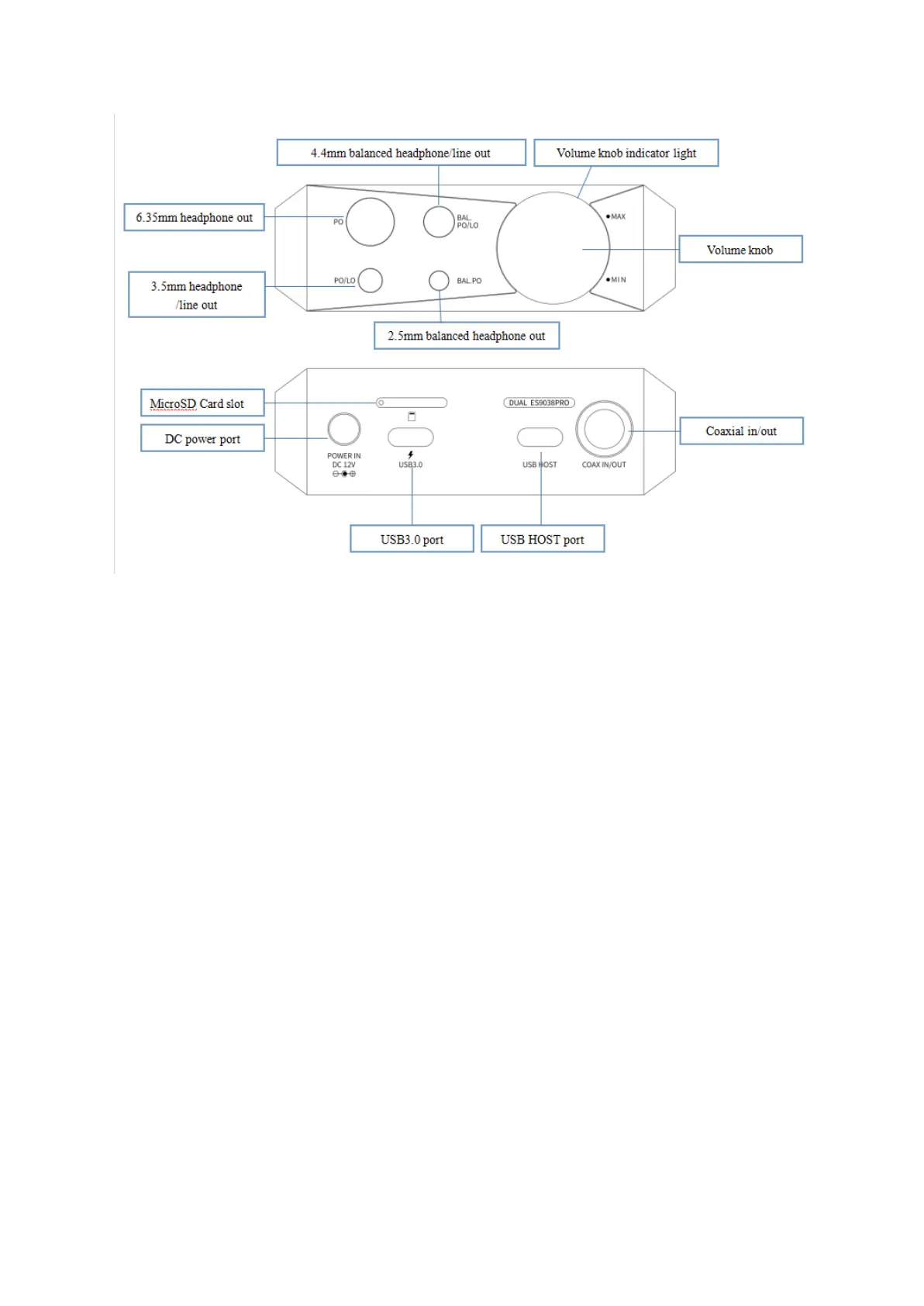
2. Instructions for buttons and ports
1) Power/Lockscreen: long press it for about 2 seconds when the device is off to turn it on;
long press it when the device is on the pop up the menu of reboot/shutdown; short press it
when the device is on to turn off/wake up the screen; long press it for about 10 seconds to
reset the device.
2) Volume up/down: press the volume up button to increase the volume, press the volume
down button to decrease the volume.
3) BAT/DC switch: when the switch is set to BAT, the system will use the battery as a power
source. When the switch is set to DC and the DC power adapter is connected(there is a
power adapter in the accessories of the M17), the system will switch to DC power supply. At
this time, the enhanced over-ear headphones mode will be added to the gain setting menu,
and the system will pop up a window to prompt it, please choose whether to switch
according to your needs. In the enhanced over-ear headphones mode, M17 will be able to
provide greater output power, suitable for high-impedance headphones.
4) Previous track: short press to play the previous track; long press to rewind.
5) Play/Pause: short press it when music is playing to pause the music; short press it when
music is paused to resume the playback.
6) Next track: short press to play the next track; long press to fast forward.



 To Next Page