screen will not appear when M3 wakes up.
In the lock screen clock screen, if M3 is playing, then press and hold the volume up button to switch the
next song (Shortly press is still the volume up); long press the volume down button to switch to the previous track
(Shortly press is still the volume minus) ); Shortly press the confirm button on the side of the player for
play/pause.As the same when screen is off.
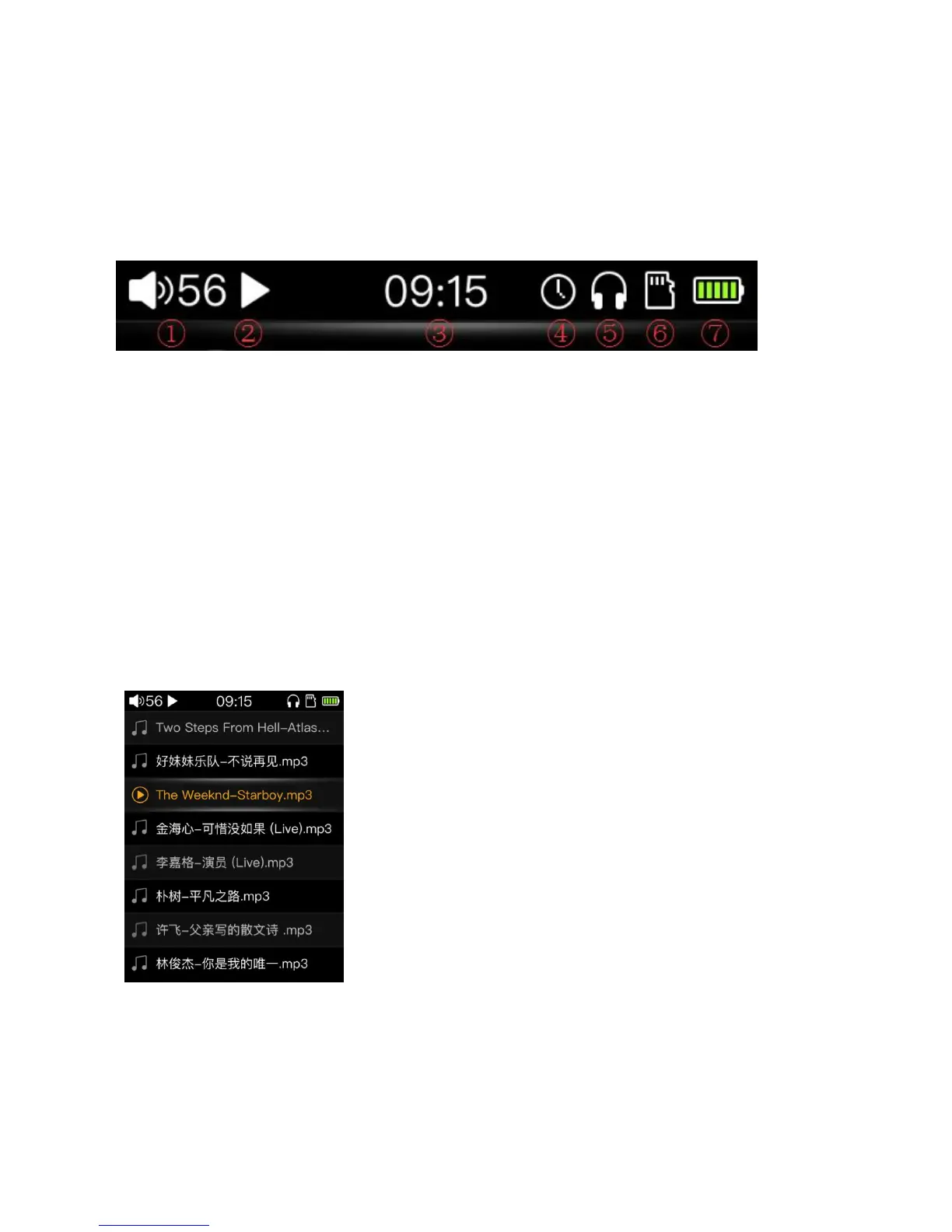
The status bar is as figure shown above:
① volume icon and current volume value
(Note: Some icons need to be displayed in the corresponding state, and the icons displayed in different
states may not be the same)
From the “Browse Files” in the main screen, you need to insert the SD card, you can directly view and play
the files in the SD card. Move the cursor over the song you want and press the confirm button to play it. The
icon of the currently playing icon will be displayed in front of the currently playing song’s name, as shown above.
By default, songs will be played in the order of the folders.



 To Next Page