Need help?
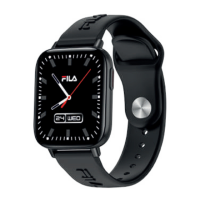
Do you have a question about the FILA SMART WATCH F29 and is the answer not in the manual?
Discusses hypoallergenic measures, potential skin reactions due to nickel, acrylates, and irritants.
Recommends avoiding device contact with chemicals like insect repellents, lotions, oils, and perfumes.
Clean the watch regularly, especially the inner side, and keep it dry.
Ensure air circulation by adjusting the smart watch tightness.
Avoid excessive skincare product on the wrist wearing the smart watch.
Cease wearing the smart watch in case of skin allergy or any discomfort.
Download and install the Da Fit APP from Apple Store or Google Play via QR code.
Pair the watch via the APP, not directly through phone's Bluetooth settings.
Open the APP, update personal details, and grant all requested permissions.
Press 'To Add' in the APP to link the watch to your phone.
Identifies key parts like Horn, Sensor, Mic, Charging contacts, and Power on/back key.
Charge the watch for the first time using the magnetic suction cable and USB port.
Connects the watch to the phone via APP for making/receiving calls and speaking from the watch.
Records and displays daily steps, calories burned, and mileage.
Records and displays total sleep length, and deep/light sleep duration.
Records and displays 24h heart rate, with detailed analysis available.
Measures and displays current blood pressure, with detailed analysis available.
Measures and displays current oxygen levels, with detailed analysis available.
Shows current weather, air quality, and tomorrow's conditions when connected.
Swipe down for quick access to Audio Bluetooth, Weather, Brightness, and Menu settings.
Use specified voltage/current; avoid charging with water stains.
Not a medical reference; avoid extreme temperatures; not waterproof.
Lists Bluetooth version, sensor capabilities, battery life, and RF power.
Provides contact number, working hours, and email for support in English or Spanish.
States compliance with EU directives for the SMART WATCH F29 (SW/29 (T48)).
The SMART WATCH F29 has a 3-year warranty from the date of purchase.
Explains normal battery capacity loss due to aging, use, and charging cycles.
Details how battery issues are assessed for guarantee after 24 months.

 To Next Page
 General