gy or any discomfort.
Getting started Charging the battery
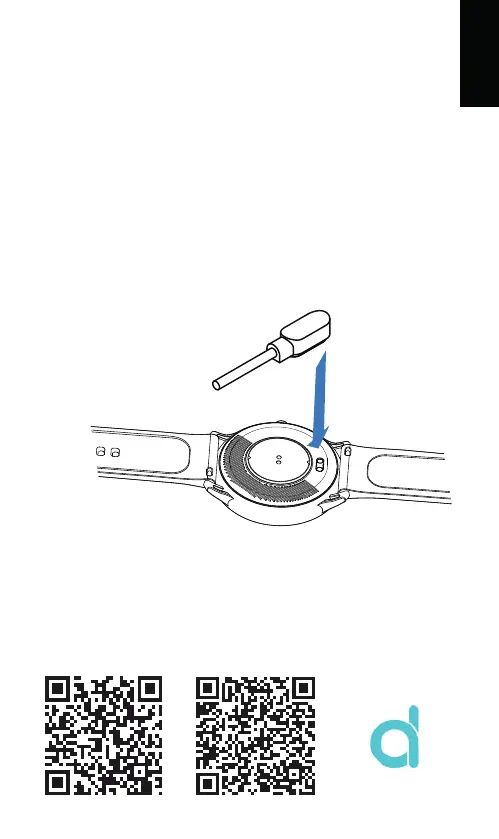
The SW/27 is equipped with a rechargeable Lithium-Poly-
mer battery. Fully charger the SW/27 prior to putting the
device into operation for the first time. To charge, place the fitness
watch with the charging contacts on the charging unit so that the
pins of both units are magnetically attracted and have contact.
The charging unit can be connected with any USB-A port of a
computer.
Connect the USB cable to a USB power source, the battery sym-
bol will show up and the battery will be charged. The usualchar-
ging time is 2.5 hours. The display will indicate, one the battery is
fully charged.
Downloading and binding of smart watch APP
Note:
your mobile phone must support Android 4.4, iOS 8.0 or
above, and Bluetooth 5.1
1. Download from Apple Store or Google play and install APP or
scan QR code with mobile phone to download APP.
ENGLISH
APP / APK: Da Fit
AndroidiOS



 To Next Page