8
Digital Fillmaster Manual Operation
Once the Digital Fillmaster has been installed and startup has successfully been completed, the unit
is ready for day-to-day operation. Use the following steps to dispense water manually without the
use of the Script Scanner.
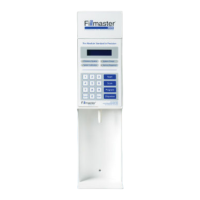
1. The display will read “Select Key Enter Amount”. Enter the desired amount of water
in milliliters. For amounts less than 100 ml, you must press ENTER to move to the
conrmation screen.
2. After entering water quantity, the display will read “SelectKeyConrmingxxxml”,
where xxx represents the amount entered in the previous screen. Press DISPENSE to
accept or CANCEL to clear.
3. The screen will show the progress of the ll. On lls over 30 ml, one half of the water
will be dispensed. The display will read “SelectKeyPauseforMixing” and the Digital
Fillmaster will pause to allow you to mix the medication.
4. Mix the medication and press DISPENSE to continue ll after mixing is completed.
5. When you have completed the ll, the display will read “FillCompleteDispensedxxx
ml”.
NOTE: If you do not hit DISPENSE to complete the second half of the ll within twenty seconds, the
Fillmaster will beep and go into sleep mode. When the machine is restarted, it will ask you to nish
the last ll. You may change the length of time the Fillmaster waits to enter sleep mode. Refer to the
Program Menus section for instructions.


 To Next Page