Script Scanner Installation (3600 Model Only)
Ins
tall the Digital Fillmaster dispenser before installing
the Script Scanner. No tools are required to install the
scanner. The scanner plugs into the port located on
the right side of the Digital Fillmaster.
1. Make sure the Digital Fillmaster has been
installed according to the instructions in
this manual.
2. Remove the tape backing at the base of
the Script Scanner.
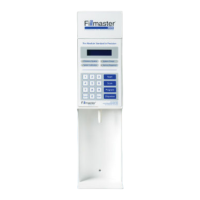
3. Align the Script Scanner with the Fillmaster dispenser so that the scanner’s
window is visible when looking at the dispenser’s keypad.
4. Align the jack on the scanner with the hook-up port on the dispenser.
5. Gently plug the jack into the dispenser’s port. You will hear a click when it is
properly connected.
6. Press the START key to use.


 To Next Page