65
Operation
To complete setting the 24-hour program, the Up Arrow Button must be pressed 12 times.
When the last two-hour increment is entered, the unit will automatically begin the
programmed sequence. Whenever the unit is running in program mode, the selected speed
indicator for the current two-hour period will flash. If the unit is programmed to be off, all
speed indicators will flash.
To Run the Program:
• The program will automatically begin to run after the twelfth two-hour time increment
is locked in.
• The 24-hour program sequence will run continually until terminated.
To Override the Program:
• You may temporarily interrupt the programmed operation of your unit by pressing
the Up or Down Arrow Buttons while the unit is operating in program mode.
• The unit will operate at the newly selected speed for the time remaining in the
current two-hour time increment plus for the following two-hour time increment.
(A maximum of four hours before returning to the program mode.)
To Terminate the Program:
• Turn off the unit. The program will be permanently terminated.
Note:
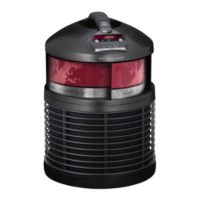
The Defender’s
®
design allows for 360 degrees of air circulation, therefore, placement of
at least three feet away from walls or furniture is recommended.
Remember, to receive the full benefit from your Defender
®
, replace your filters regularly.
• Every 6 months, replace your Enviropure
®
Charcoal Filter.
• Once a year (for Perpetual Warranty*)/up to every 3 years (depending on usage),
replace your Medi-Filter
®
Cartridge.
*Refer to the warranty for information on warranty extension(Perpetual Warranty).
CAUTION:
Disconnect from power supply before servicing. Do not wash or try to clean filters
in any way. Regular replacement is recommended.
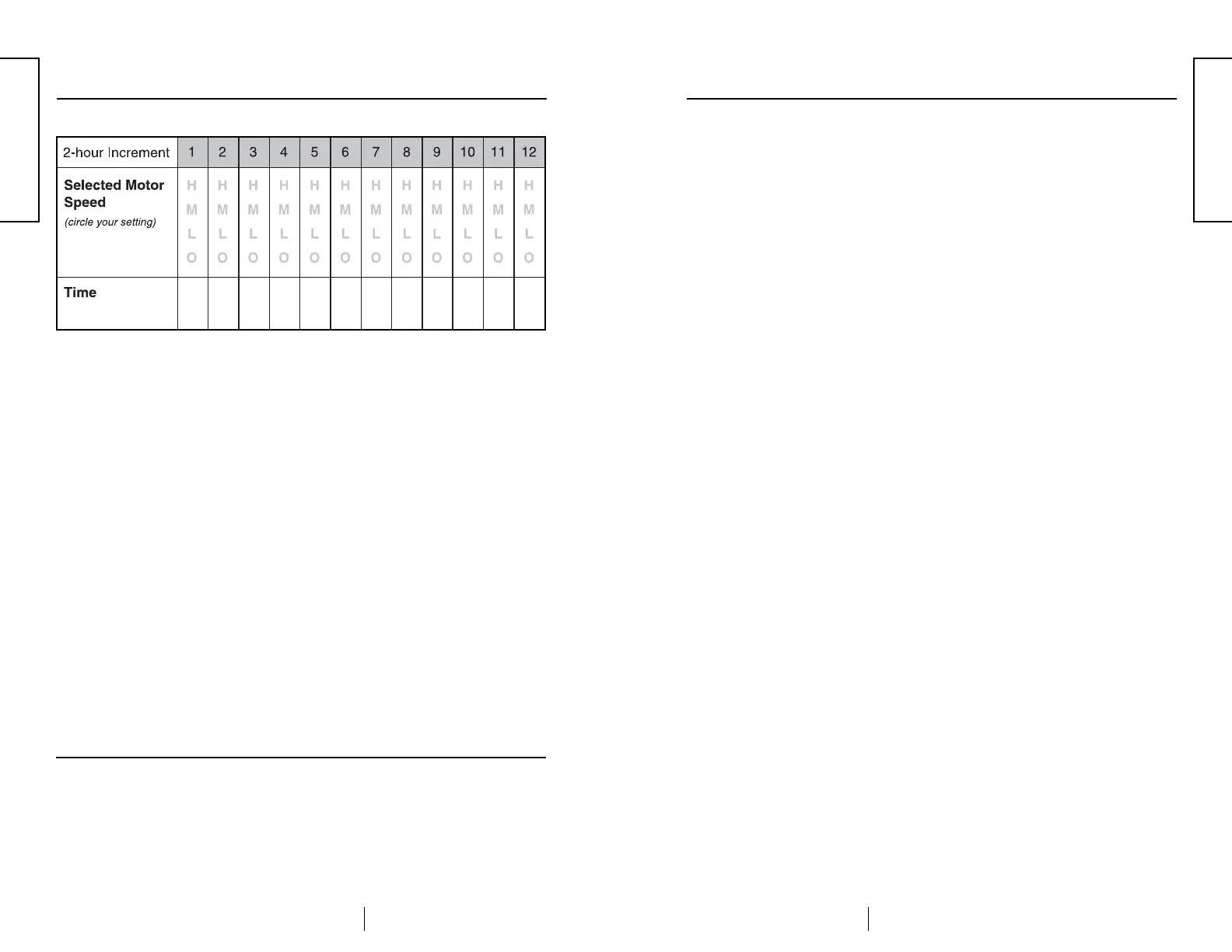
Program Sequence Table: H = high M = medium L = low O = off
Filter Replacement
Filter Replacement Indicator:
Your Defender
®
is equipped with a Filter Replacement Indicator located on the front
panel. Anytime this red indicator flashes, it is recommended that you call your
authorized FILTERQUEEN
®
Distributor to order a replacement filter. Anytime this
red indicator stops flashing and remains solidly illuminated, it is recommended that
you change your filter. To receive full benefit from your Defender
®
and to extend
your warranty, it is strongly recommended that you follow the filter replacement
schedule suggested above. Under higher pollution levels, your filters will need to be
replaced more frequently.
The Filter Replacement Indicator is operated by filter time in use and is controlled by
an onboard timer. After 11 months of time in use of your Medi-Filter
®
Cartridge, the
Filter Replacement Indicator will begin to flash. It will continue to flash until the you
reach 12 months of time in use, at which time the Filter Replacement Indicator will
stop flashing and remain solidly illuminated.
After replacement of your Medi-Filter
®
Cartridge, you must reset the Filter
Replacement Indicator’s timer. When the timer has been properly reset, the Filter
Replacement Indicator will turn off.
Resetting the Filter Replacement Indicator Timer:
After replacement of your Medi-Filter
®
Cartridge per the instructions found on page
7, the Filter Replacement Indicator’s timer can be reset by performing the following
sequence of steps:
❶
Plug unit into outlet.
❷
Press power On/Off switch to the On (“I”) position.
❸
Allow unit to start running at low speed.
❹
PRESS and HOLD both the Up and Down arrow buttons until the Filter
Replacement Indicator starts to blink.
❺
Release both the Up and Down arrow buttons.
❻
While the Filter Replacement Indicator is still flashing*, again PRESS and
HOLD both the Up and Down arrow buttons until the Filter Replacement
Indicator turns off.
If the steps above have been performed properly, the Filter Replacement Indicator
will turn off and not flash again for 11 months. If the Filter Replacement Indicator
remains on, repeat the steps again.
*Note that in step 6 above, the Filter Replacement Indicator MUST still be flashing
when the buttons are pressed the second time. The Filter Replacement Indicator will
continue to flash for approximately 3 seconds after the buttons are released as
required in step 5 above.
Note:
Under higher pollution levels, your filters will need to be replaced more frequently.
Note:
To order replacement filters, call your authorized FILTERQUEEN
®
Distributor, or call
1-216-986-8008 for the Distributor nearest you.
Filter Replacement Schedule
ENGLISH
ENGLISH


 To Next Page
 Loading...