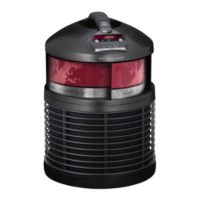
The Defender
®
is a medical recirculating air cleaner intended to filter indoor air to reduce
micro-particles as small as 0.1 micron in size, including dust, pollen, smoke, dust mites,
dust mite allergens, cockroach allergens, bacteria, mold, and pet allergens that may lead
to allergic reactions. The Defender
®
is also intended to reduce tobacco smoke and other
household odors. Recommended usage is in a room with a maximum size of 15’ x 20’ with 8’
ceilings. Opening doors and windows may affect this medical device’s performance.
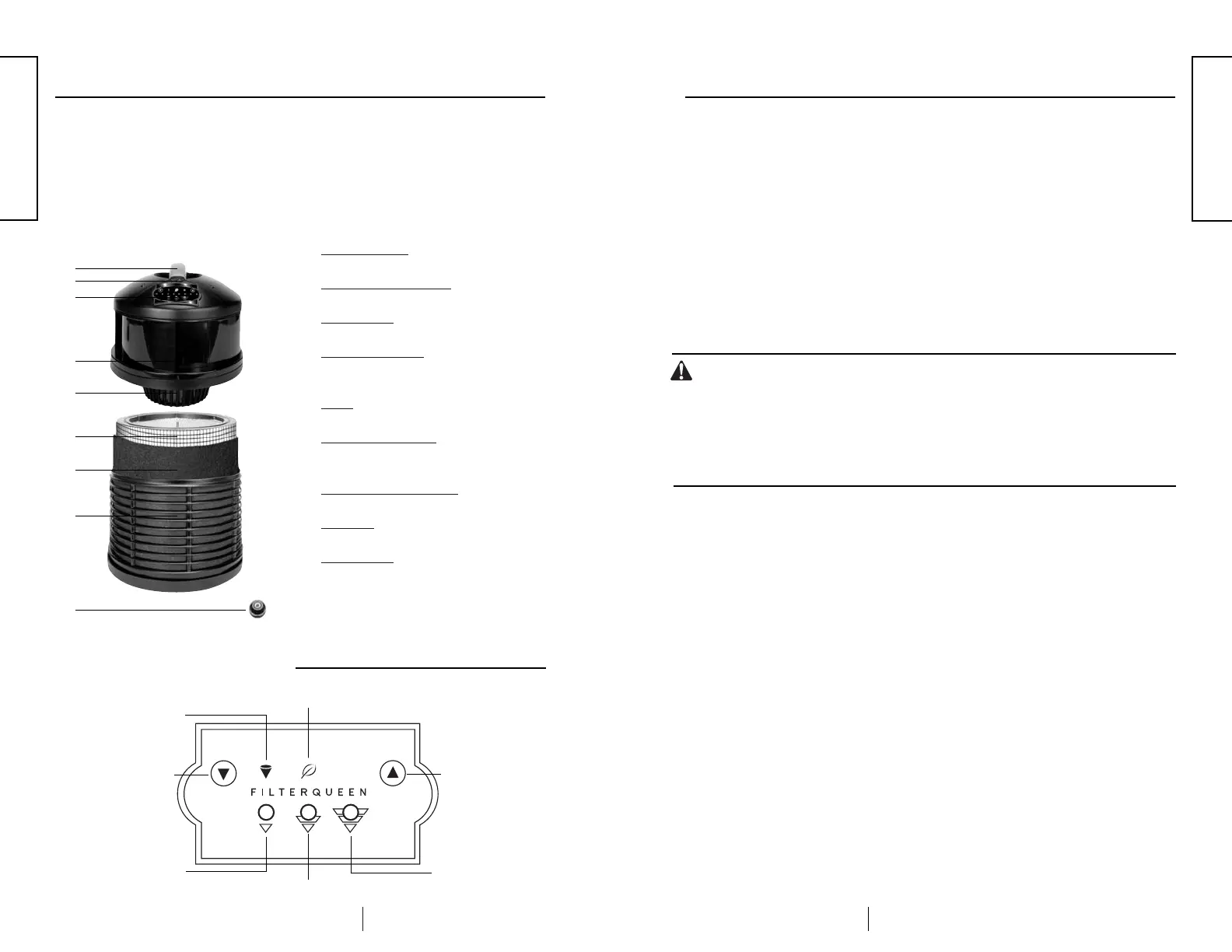
❶
Carrying Handle – Conveniently move the
Defender
®
to any room in your home.
❷
On/Off Power Switch – Contains the
international symbols “
O
” for off, and “
I
” for on.
❸
Control Panel – Allows the user to tailor the
unit’s functions to his or her environment.
❹
Clean Air Exhaust – Exhaust is raised
up off the carpet to minimize recontamination
of your indoor air.
❺
Motor – Brushless motor designed for long
life.
❻
Medi-Filter
®
Cartridge
– Reduces particu-
lates like pollen and mold spores from the air
in your home.
❼
Envir
opure
®
Charcoal Filter
– Made of
activated charcoal, it helps to reduce odors.
➑
Air Intake – Air enters the unit from 360
degrees for optimal air circulation.
➒
Retaining Nut – Remove for quick and easy
filter replacement.
3
Parts Description
❶
❷
❸
❹
❺
❻
❼
➑
➒
Control Panel
4
Operating Instructions:
❶
Plug unit into outlet. (Green indicator located on the power On/Off switch will
illuminate, indicating that the unit has power and not that the unit is turned On.)
❷
Press power On/Off switch to the On (“ I ”) position. When the unit is turned on
initially, all indicators located on the front panel will illuminate for two seconds.
The green Power On Indicator(leaf) will illuminate and remain lit as long as the
unit’s power switch is in the On (“ I ”) position.
❸
The unit will start running at low speed. (Low-Speed Indicator will illuminate.)
❹
The Up and Down Arrow Buttons located on the front panel can now be utilized
for speed control as follows:
Down Arrow Button: Press to decrease motor speed selection(motor speed
will not change if unit is already operating at low speed).
Up Arrow Button: Press to increase motor speed selection (motor speed will
not change if unit is already operating at high speed).
Caution:
• Liquid or spray scents, aroma therapy oils or other aromatic hydrocarbons with
the Defender
®
could cause damage to the plastic housing. Damage to the plastic
housing could expose moving parts.
• To reduce the risk of injury from moving parts. Do not use with liquid or spray
scents, aroma therapy oils or other aromatic hydrocarbons.
• Use of these substances will void your warranty.
Programming Instructions:
Program mode allows you to set and activate a 24-hour continuous operation program loop.
To Initiate Program Mode:
❶
Turn off unit.
❷
Press and hold the Down Arrow Button while turning on unit.
❸
Once the green Power On Indicator(leaf) is illuminated, release the Down Arrow
Button. The unit is now in program mode, indicated by the flashing High-Speed
Indicator. Follow the instructions below to set your desired program sequence.
To Set a Program Sequence:
The motor speed must be set in twelve consecutive two-hour increments totaling 24
hours of operation.
Program Sequence Start Time: The sequence will begin its cycle with the first two-hour
increment immediately after the twelfth two-hour increment is programmed. Please be sure to consider
the program sequence start time when planning your desired program sequence.
❶
Plan your desired program sequence using the table on page 5.
❷
Select the desired motor speed for the first two hours of operation by pressing the
Down Arrow Button. (High speed is currently selected. Press the Down Arrow
Button once to select medium speed, twice to select low speed, and three times to
select motor off.)
❸
Once you’ve selected the motor speed for the first two-hour time increment, press
the Up Arrow Button to lock in the speed. (After each two-hour speed selection has
been locked in, the red Filter Replacement Indicator will flash.)
❹
Continue to set each consecutive two-hour increment by selecting the speed with the
Down Arrow Button and then locking in each selection with the Up Arrow Button.
Operation
Power On Indicator(green)
Up Arrow Button
High-Speed Indicator
Filter Replacement
Indicator
(red)
Down Arrow Button
Low-Speed Indicator
Medium-Speed Indicator
ENGLISH
ENGLISH


 To Next Page
 Loading...