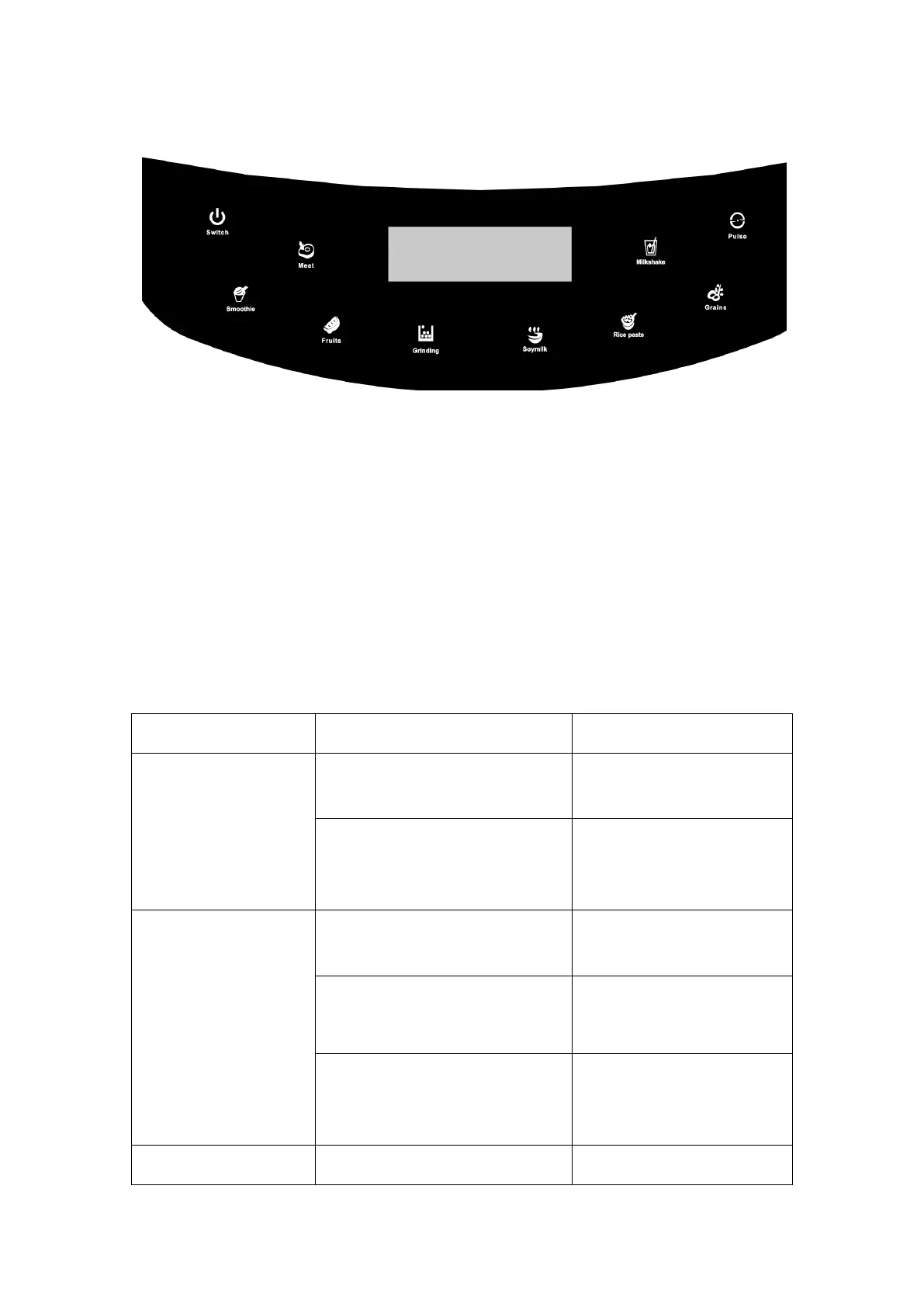
·Put the blender on the table;
·Connect the power;
·Put the ingredients into the jug ;
·Put the cover on the jug;
·Choose the function you need
Analysis of common Malfunction and processing methods (1)
Indicator light is not on
The power switch is not open
Check the power cord and
connect the power
The jug and the host is not
assembled right(the jug not in the
correct place)
Put the jug on the right
place(host)
The indicator light is
on, but it doesn’t
work
You don’t press the switch
Choose the function and press
the switchc
No water in the jug or add
too much water or too little water
Put the water between the
upper and lower water level
A reminder call was made during
work
Unplug the power and then
connect again , follow the
right steps to get the job done
Short interval for Power cuts,
Short electricity for 3 minutes


 To Next Page