2 3
EN
ZE8000 Exclusive
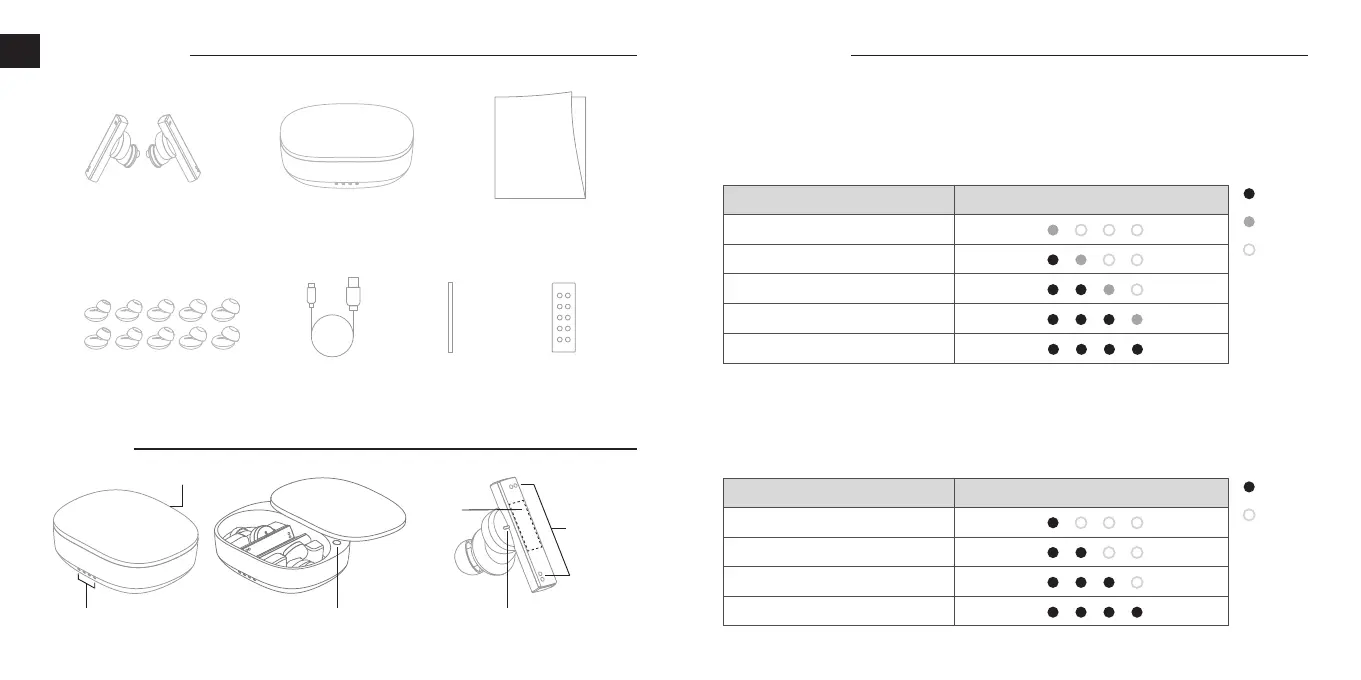
Silicone Ear Tips
USB Type-C
Charging Cable
Package Contents
Part Name
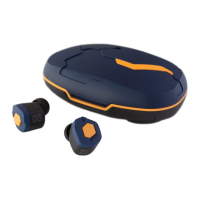
Main Units Charging Case User’s Manual
Power / Charging
Charging the charging case:
Connect the accessory USB charging cable (C) connector to the USB port on the charging case
and connect the USB (A) connector to an electrical appliance or adapter with the same shape of
connector and the internal battery within the charging case will begin to charge. While charging,
the LED Indicator of the charging case will light up in different patterns depending on the battery
power level of the charging case as shown in the table below.
Charging the earphones:
Returning the earphone units back to the adequately charged charging case, the power of the
earphones will be turned OFF automatically and start charging with the LED Indicator of earphone
units light up Red. By closing the charging case, the LED Indicator of the charging case will light
up in different patterns for 3 seconds depending on the battery level of the charging case as
shown in the table below.
Touch
Control
Panel
Pairing Button
Beam-
Forming
Microphone
LED IndicatorLED Indicator
USB Port
LSS S M L L
ON
OFF
ON
Blinking
OFF
LED Indicator of the Charging Case
Charging Case Battery Level
LED Indicator of the Charging Case
Charging Case Battery Level
0
〜
25
%
26
〜
50
%
51
〜
75
%
76
〜
99
%
100
%
0
〜
25
%
26
〜
50
%
51
〜
75
%
76
〜
100
%
Dust FiltersAcoustic
Tool



 To Next Page