4 5
Turning OFF the EarphonesTurning ON the Earphones
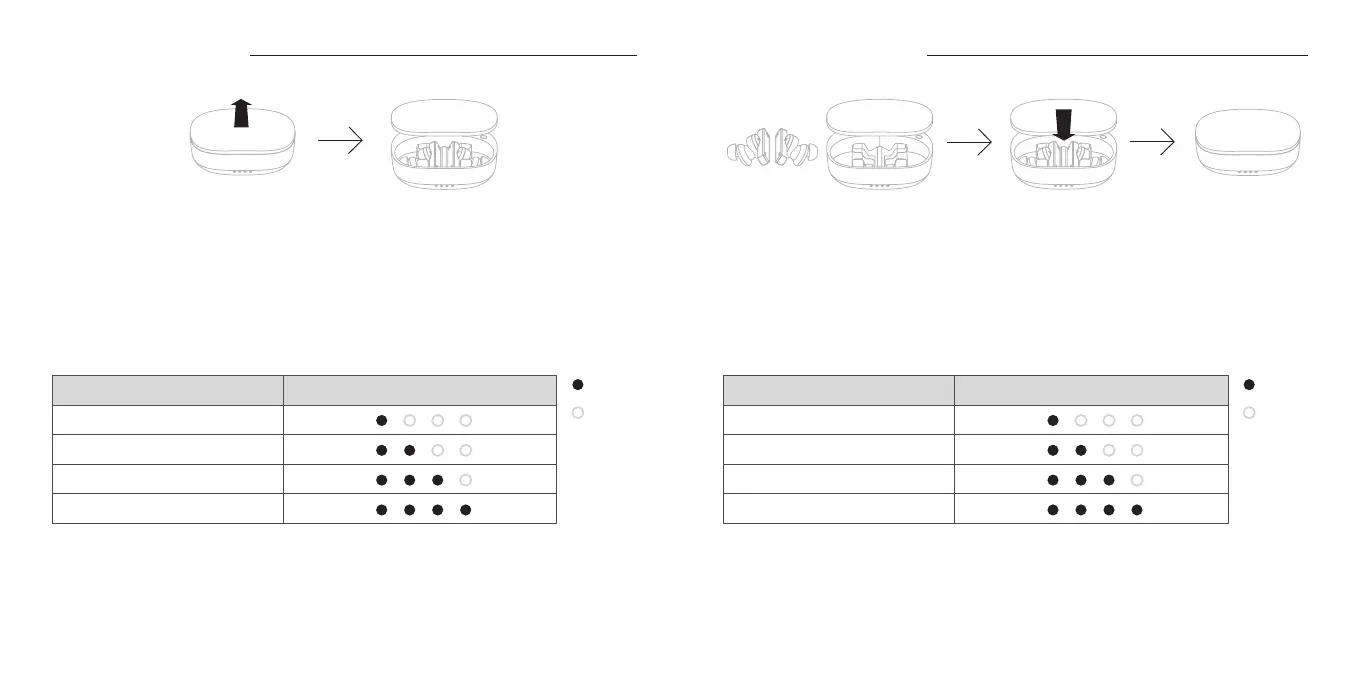
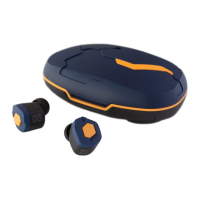
After opening the charging case by sliding up the lid, the LED Indicator of the earphones will
light up Blue for 1 second and the power of the earphone units will automatically turn ON.
Meanwhile the LED Indicator of the charging case will light up in different patterns for 3 seconds
depending on the battery level of the charging case as shown in the table below.
* If the LED Indicator of the charging case does not light up after opening the charging case, the
battery of the charging case might have been completely depleted. In such case, the earphone
units will not turn ON when the case is opened. In order to turn ON the earphone, please charge
the charging case by plugging in the charging cable and take out the earphone units from the
charging case.
* While the earphones are paired to a device with the dedicated “final CONNECT” application
installed, the battery level of the earphones can be checked with the mobile app. Please refer to
P.9 for details regarding “final CONNECT” .
Returning the earphone units back to the adequately charged charging case, the power of the
earphones will be turned OFF automatically and start charging with the LED Indicator of
earphone units light up Red. By closing the charging case, the LED Indicator of the charging
case will light up in different patterns for 3 seconds depending on the battery level of the
charging case as shown in the table below.
* If the LED Indicator of the charging case does not light up after closing the charging case, the
battery of the charging case might have been completely depleted. In such case, earphone
units will not turn OFF automatically. In order to turn OFF the earphone, first remove the
earphone units from the charging case, then please charge the charging case by plugging in
the charging cable and return the earphone units to the charging case.
ON
OFF
LED Indicator of the Charging Case
Charging Case Battery Level
0
〜
25
%
26
〜
50
%
51
〜
75
%
76
〜
100
%
ON
OFF
LED Indicator of the Charging Case
Charging Case Battery Level
0
〜
25
%
26
〜
50
%
51
〜
75
%
76
〜
100
%



 To Next Page