8 9
Performing Factory Reset
When there is trouble to achieve a successful pairing or unexpected error has occurred, please
perform the factory reset by the following procedures stated below. Once the factory reset is
completed, please attempt another pairing operation.
1. Return the left and right earphone units back to an adequately charged charging case then
push and hold the Pairing Button of the charging case for 7 seconds until the LED Indicator of
both earphone units light up in Purple.
2. After a certain amount of time, the earphones will automatically switch to the device pairing
mode with the LED Indicator on one of the earphones flashes between Blue and Red. The
factory reset has been completed.
3. The earphones are now in the factory default state with all previous pairing information with the
smartphone or other devices deleted. Please remove the previous pairing record on the
smartphone or other devices then perform device pairing again.
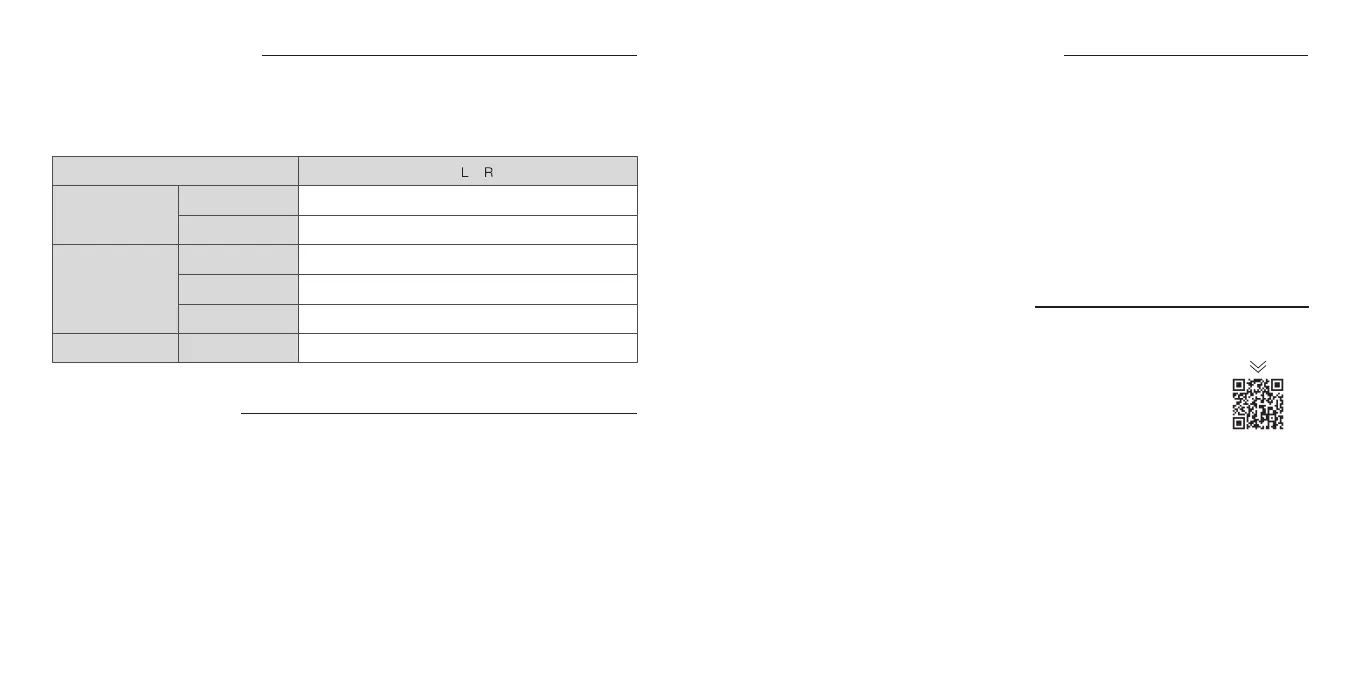
About Single Bud Use Mode
This earphone supports single bud use. Once the earphones are being paired to a device, Single
Bud Use Mode is automatically activated when only 1 side of the earphones is on use with
another side being kept inside the charging case. When used in Single Bud Use Mode, touch
sensor operation differs from normal operation, as shown in the table below.
Music
IncomingCalls
Siri /
Google Assistant
Play
Pause
Receive Call
End Call
Refuse Call
Initialize
Single tap
Single tap
Double tap
Double tap
Touch and hold for 2s, then release on beep
Tap 5 times
/
By interacting with the touch control panel (P.7) or by using the “final CONNECT” application,
users can easily switch between the 4 modes below for the best experiences.
・
Noise Canceling Mode - Offers a virtual stress-free quiet environment for your best music
listening experience by reducing ambient noise.
・
Wind-Cut Mode - Reduces environmental wind noise picked up by the microphones of the
earphones.
・
Ambient Sound Mode - Allows users to hear both music and the ambient sounds seamlessly at
the same time.
・
Voice Through Mode - Allows users to focus on the ambient sounds or conversation by
minimizing the volume of the music.
About Noise Canceling / Ambient Sound Mode
What Is the “final CONNECT” Application?
“final CONNECT” application is a dedicated mobile app designed for ZE8000.
Please download it onto the smartphone paired to the ZE8000 to unlock the
following features.
・
Switch between Noise Canceling Mode / Wind-Cut Mode / Ambient Sound
Mode / Voice Through Mode
・
PRO Equalizer with its design inspired by professional recording equipments
allows user to perform finer sound quality adjustment effectively like a pro
Download
・
Volume Step Optimizer upgrades the smartphone standard volume control, allowing for enjoyment
of music at a pinpoint volume in accordance with the listening environment and user’s preferences
・
8K SOUND
+
upgrades the digital signal processing algorithm to a higher level and utilizes the
computing power of the ZE8000 at its maximum limit allowing you to enjoy the highest sound
quality of the “8K SOUND”
・
Firmware updates
・
Access to the latest news
・
Checking the battery level
・
Switching voice guidance language (Japanese / English)


 To Next Page
 Loading...