5 6
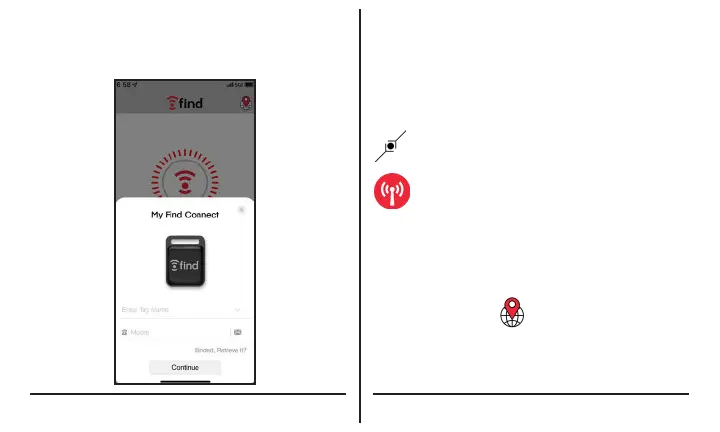
Step 5: Provide Contact Information
Once activated, your phone number or e-mail will
be bound to the Tag until reset to factory defaults.
Step 6: Operation
If successfully activated, the FindTracker Tag
will ring two times. If required, the retrieve key is a
16 digit number found under the Tag’s battery.
Searching - Nearby
The Connect icon will light if the FindTracker
tag is nearby.
Click the Ring icon to activate the FindTracker
Tag ringer.
Searching - Long Distance
Someone must be near the Tag with their phone,
Bluetooth and FindTracker app enabled. The phone
nearest the Tag will transmit it’s location to the
FindTracker server.
• Tap on the Globe to open a map showing
the Tag location.
• Tap on the Red Arrow to open your Navigation
App and create a route to your find Tag.



 To Next Page