Page 11
DFT8 Reverse Osmosis Filter
User Guide
Functionality:
This unit is designed for household use or similar settings, utilizing a multi-stage filtration
system based on reverse osmosis membrane technology. Once installed, simply power on the
unit, and you can initiate or halt water production by opening or closing the faucet.
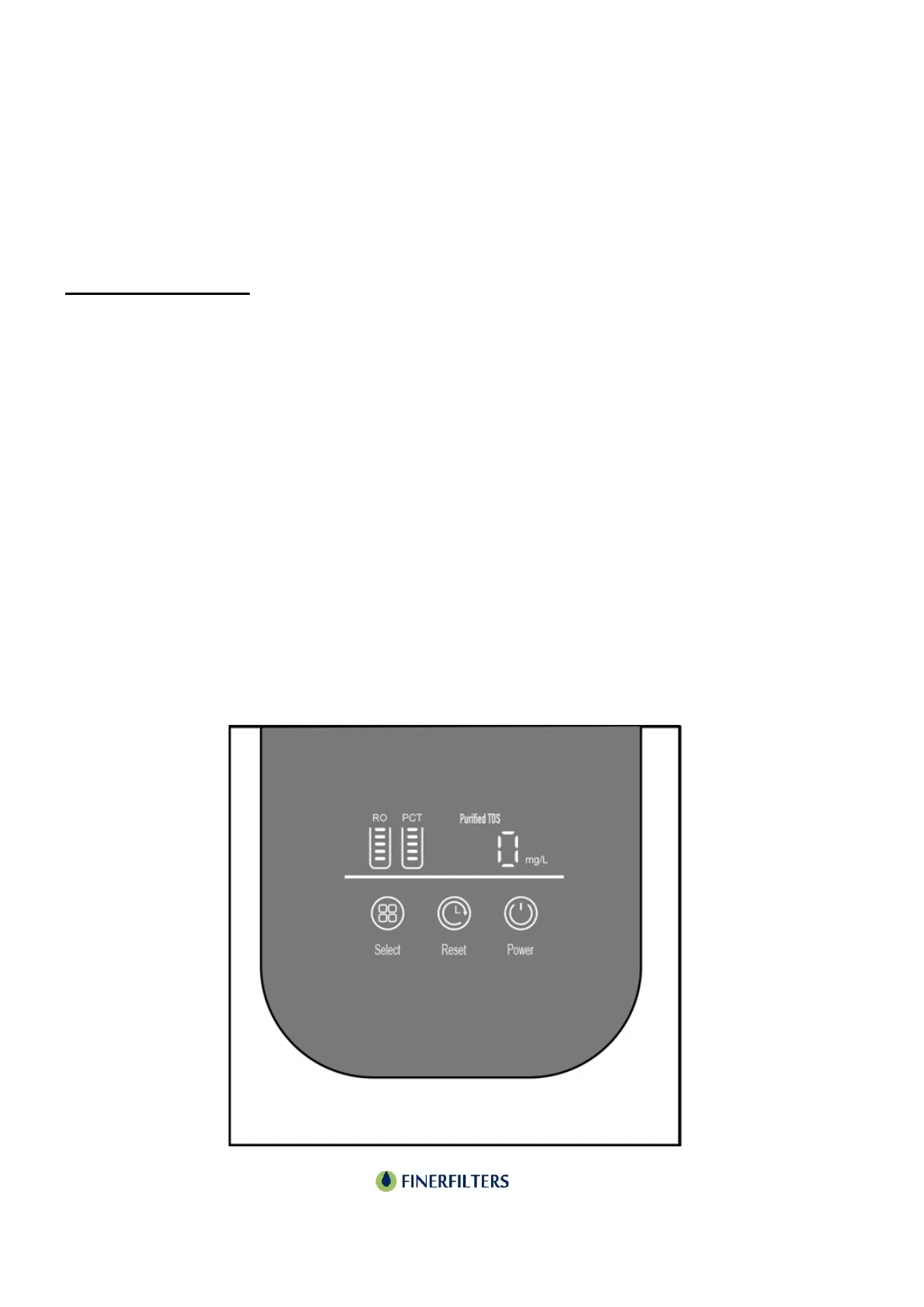
Display Instructions:
Select Key:
When the system is not in flushing mode, press and hold the select key for 3 seconds to initiate
an 18-second strong flush cycle.
Reset Key:
• Press and hold the reset key for 3 seconds to access the filter element reset function.
• Once in reset mode, press the select key to cycle through and choose the filter element to
reset.
• The chosen filter element indicator will flash, while others remain lit.
• To reset the selected filter element, press and hold the reset key for 3 seconds within a 10-
second window, thereby exiting the reset function. If no action is taken within 10 seconds,
the system exits reset mode.
Power Key:
• Tap the power key to toggle the display interface on or off, while the power indicator remains
lit.
• Note: The power button solely controls the display brightness.


 To Next Page
 Loading...