Page 4
Page 13
User's Manual User's Manual
DSC24
1. Functions
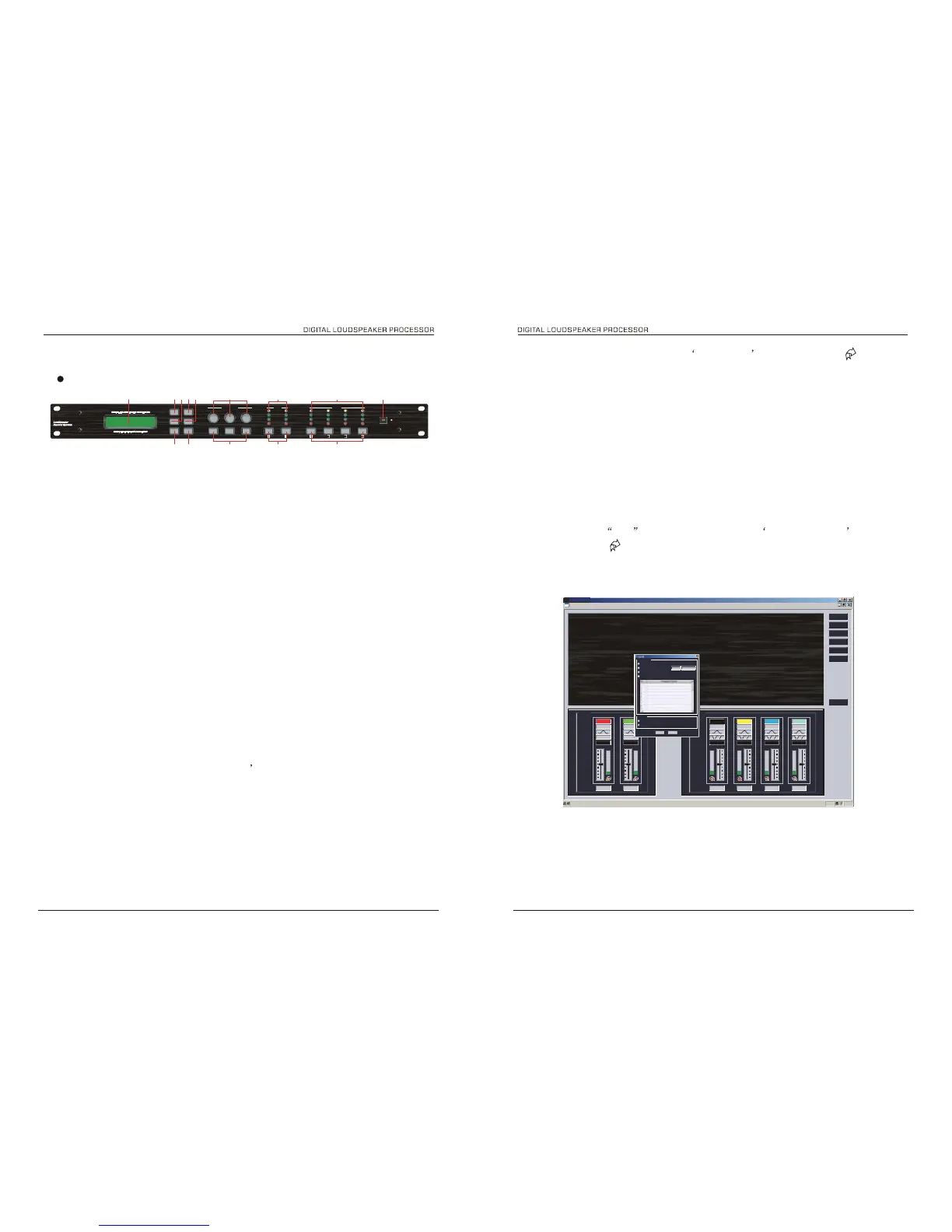
Front panel
1 23
4
56
7
8 11 12 13
910
8. Dowhoad data to Device. choose Device groud from.the menu ------
communications then choose the program from PC and which memory you want
to put at the device
program 20 to 30 is protected , you can down data to these 10 memories with
***
input password .
please ask the password from your dealer
9. Upload data from device, firstly the data will be uploaded when connecting to
device, only the current
using data to work page , you also can choose upload from device from
the menu------ communications,
and do the some process as 8.
Fig 2.6
Connection
14
1. LCD Screen: Shows, by default, the name of the last recalled memory on the bottom line of the
screen, Also used to show all parameters as they are edited, and all menu selections.
2. BACK key moves backwards through list of parameters.
3. MENU key activates the main menu .
4. BYPASS will flatten the currently selected parametric sections, or input graphic equalisers.
5. NEXT key moves forward through list of parameters.
6. ENTER key enters the chosen menu, confirms selections, and changes filter types when editing
parametric sections.
7. ESC exits menus back to the default screen.
8. Rotary Encoders: Three encoders adjust the relevant parameters as displayed on the screen.
9. INPUT EDIT buttons illuminate red when pressed, and go into mute mode. if press for I second, it go in
to every input channel EDIT mode.
10. OUTPUT EDIT buttons illuminate red when pressed, and go into mute mode. if press for I second, it
go in to every output channel EDIT mode.
11. INPUT METERS: show dBu clipping point of digital to analogue converters, Green LED illuminates
from -48dBu to 0dBu, yellow LED illuminates the clipping.
12. OUTPUT METERS: show dBu clipping point of digital to analogue converters, Green LED illuminates
from -48dBu to 0dBu, yellow LED illuminates the clipping.
13. USB Connector, Used to be sent or received information from computer by PC software.
14. Scene change recall key. Press switch for 1 second processor will load default set program.
DSC24


 To Next Page
 Loading...