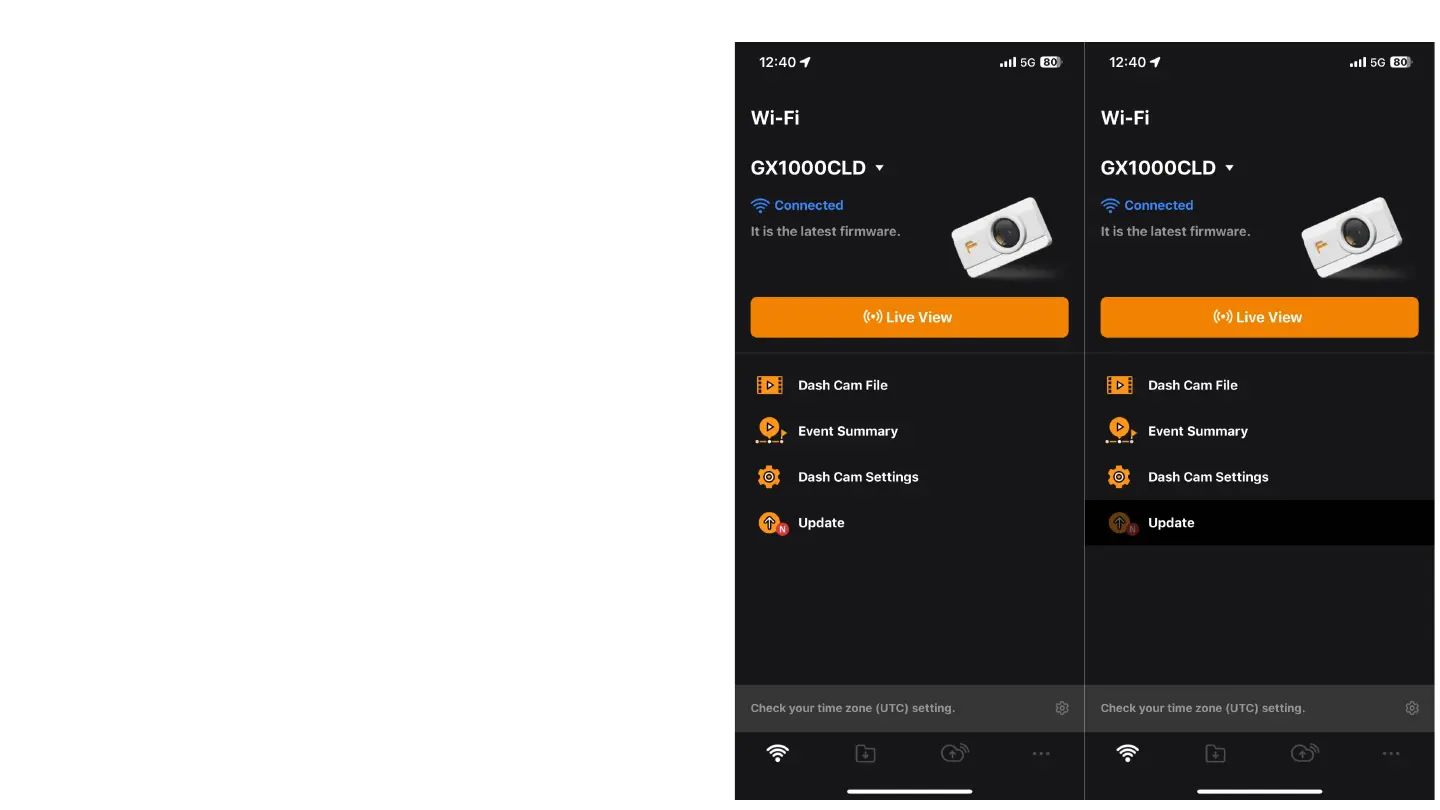
Main Menu of the App
After completing the initial setup and updates, you will be taken to the main
menu of the app. In this menu, you have the following options:(NOT CLOUD)
1. Live View: Here you can see in real-time what your camera is
recording.
Dash Cam File: This option stores all the videos recorded by the
camera, including event and non-event recordings.
Event Summary: This option allows you to view all the events saved
by the camera.
Dash Cam Settings: From here, you can adjust the camera settings
according to your needs.
Update: Allows you to check for new software updates and install
them.
Initially, you will need to check for any available software updates for your
camera and install them. This will ensure that the camera operates with the
latest software, providing all the latest features and improvements.



 To Next Page