Connecting to the Cloud
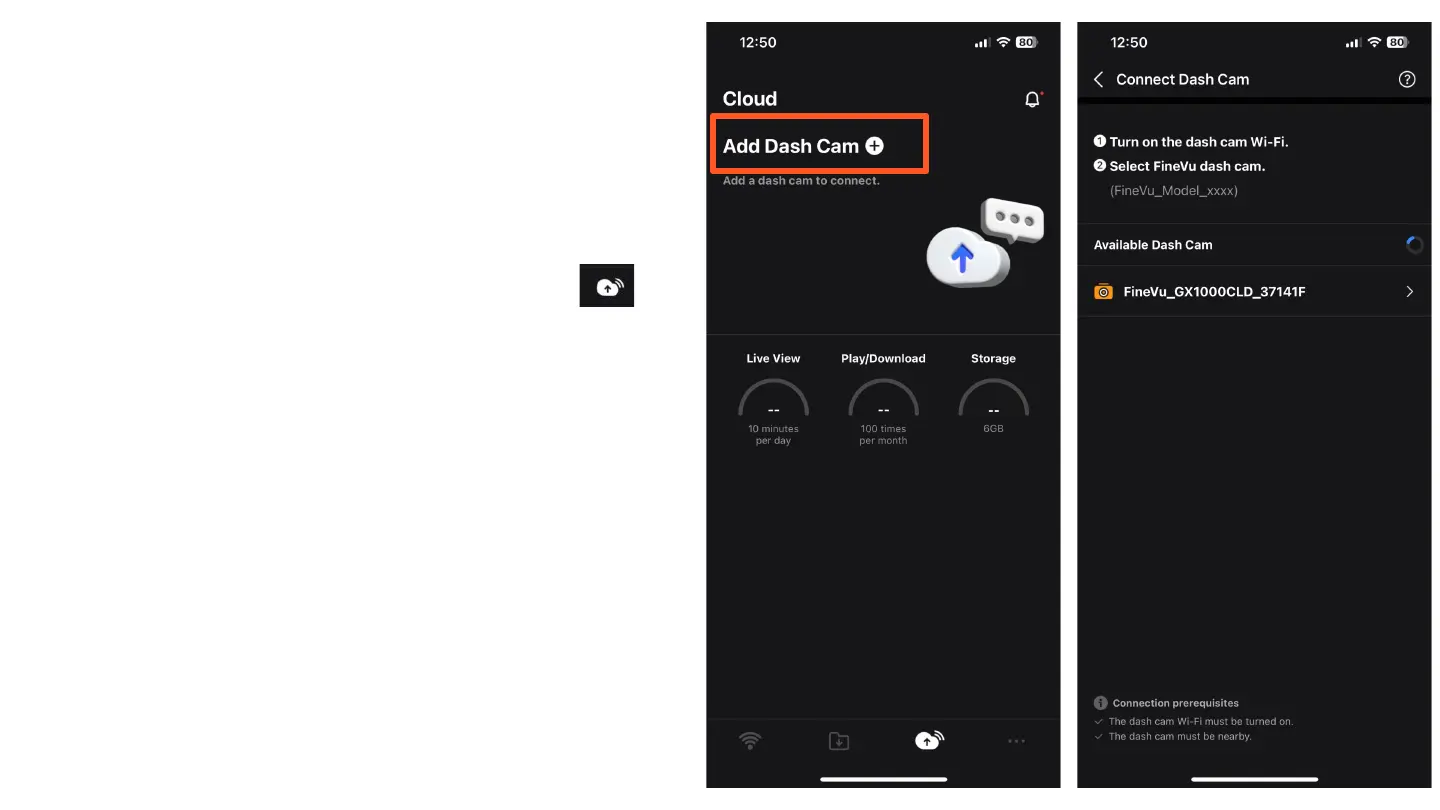
After disconnecting from the current connection and
navigating to the Cloud tab, follow these steps:
Tap "Add Dash Cam" in the Cloud tab.
The app will begin searching for nearby cameras. Ensure
the camera's Wi-Fi is enabled.
Select the camera from the list of available devices to add
it to the Cloud.
Note: You will need to create an account for the Cloud service
using an email of your choice. The registration process is very
quick and can be done via Gmail, Apple ID, or any other email.



 To Next Page