Connecting to the Cloud
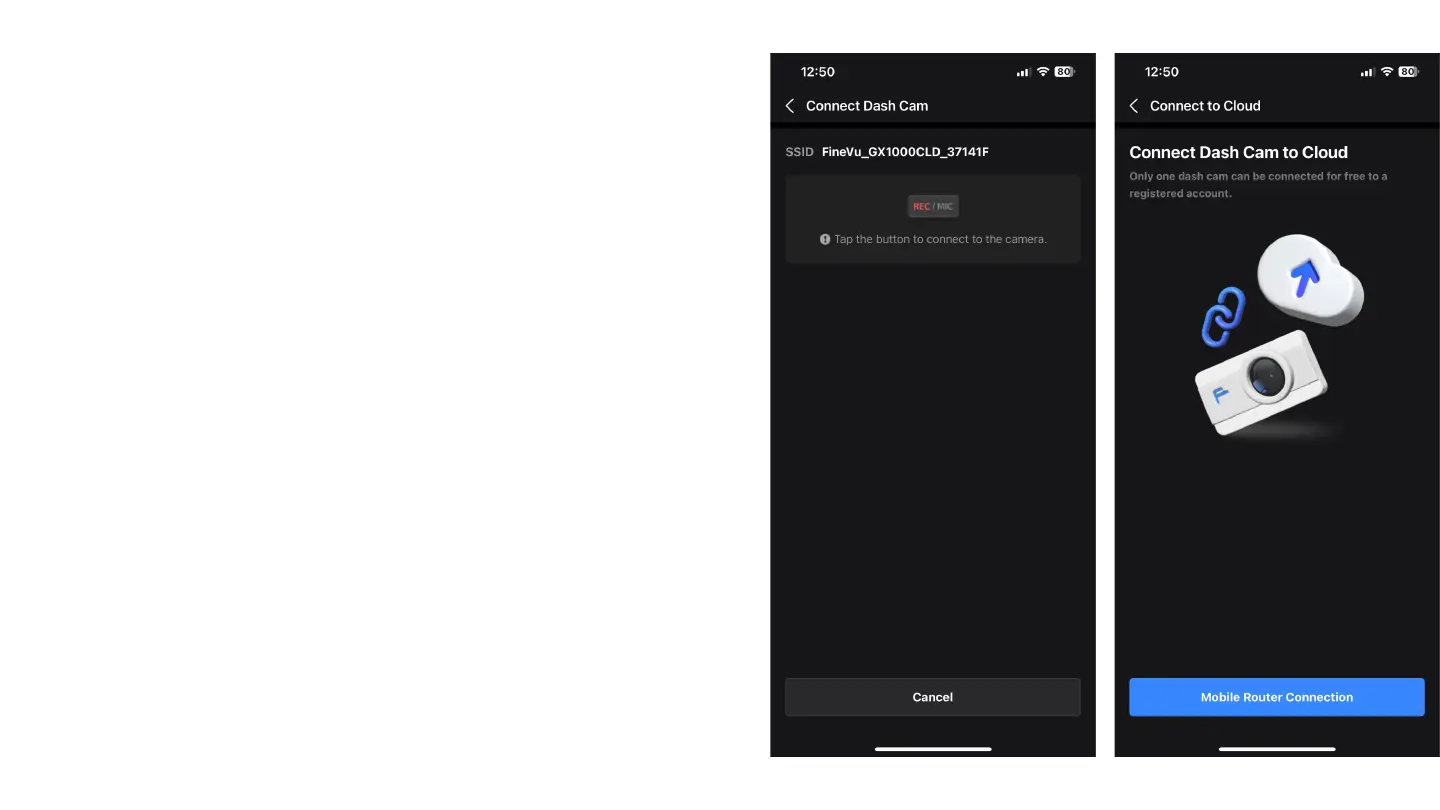
After confirming the connection by pressing the REC/
MIC button as we did before, the app will ask us to
start the process of connecting the camera to a Wi-Fi
network for internet access. To proceed, select the
"Mobile Router Connection" option



 To Next Page