Selecting the Dash Cam in the App
After pressing the "Add Dash Cam" button and enabling Wi-Fi on
the camera, follow these steps to select your camera in the app:
1. O
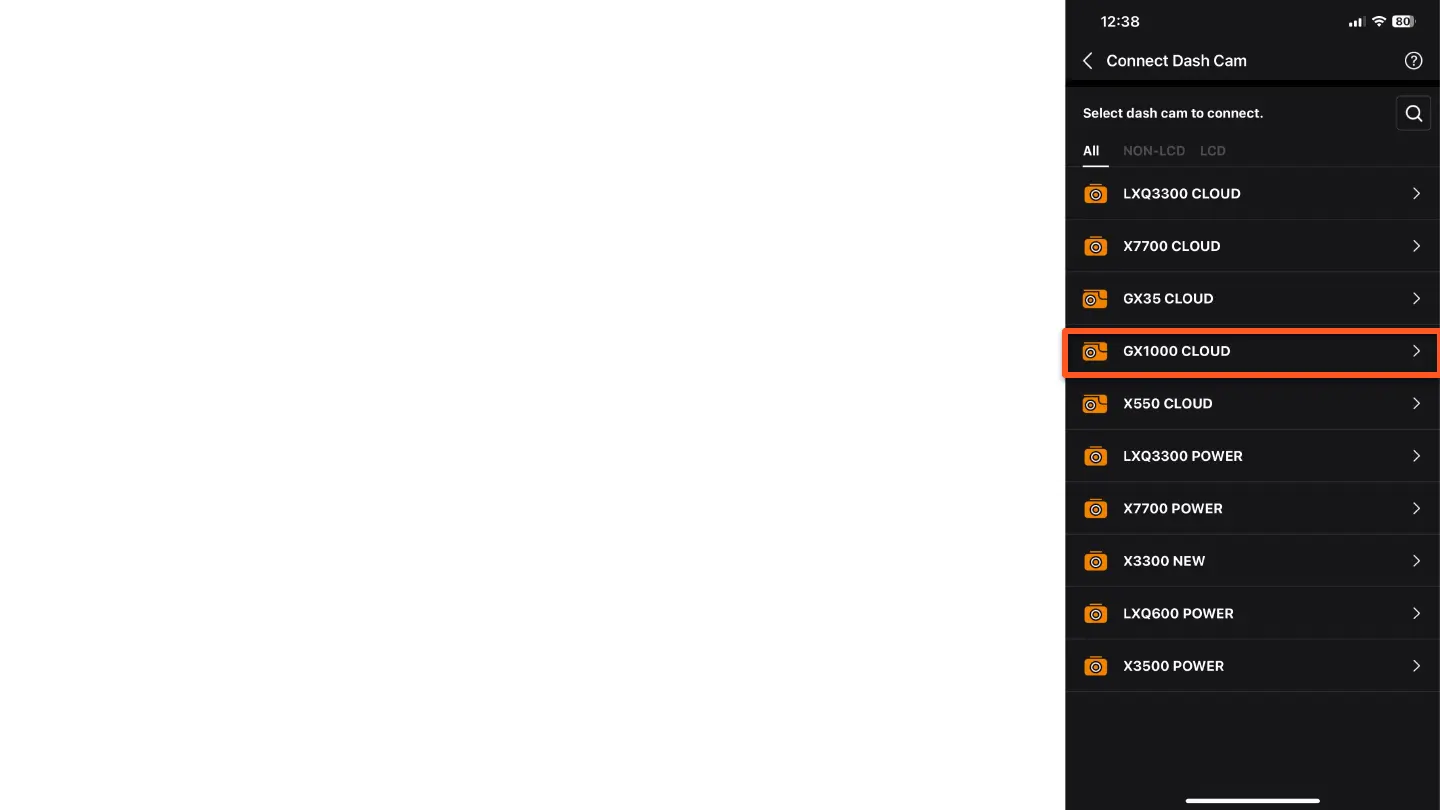
n the screen that appears, you will see a list of
available dash cam models.
Select your camera model, in our case, the "GX1000
CLOUD".



 To Next Page