4.
Baery Full
Charging
Charging Icons
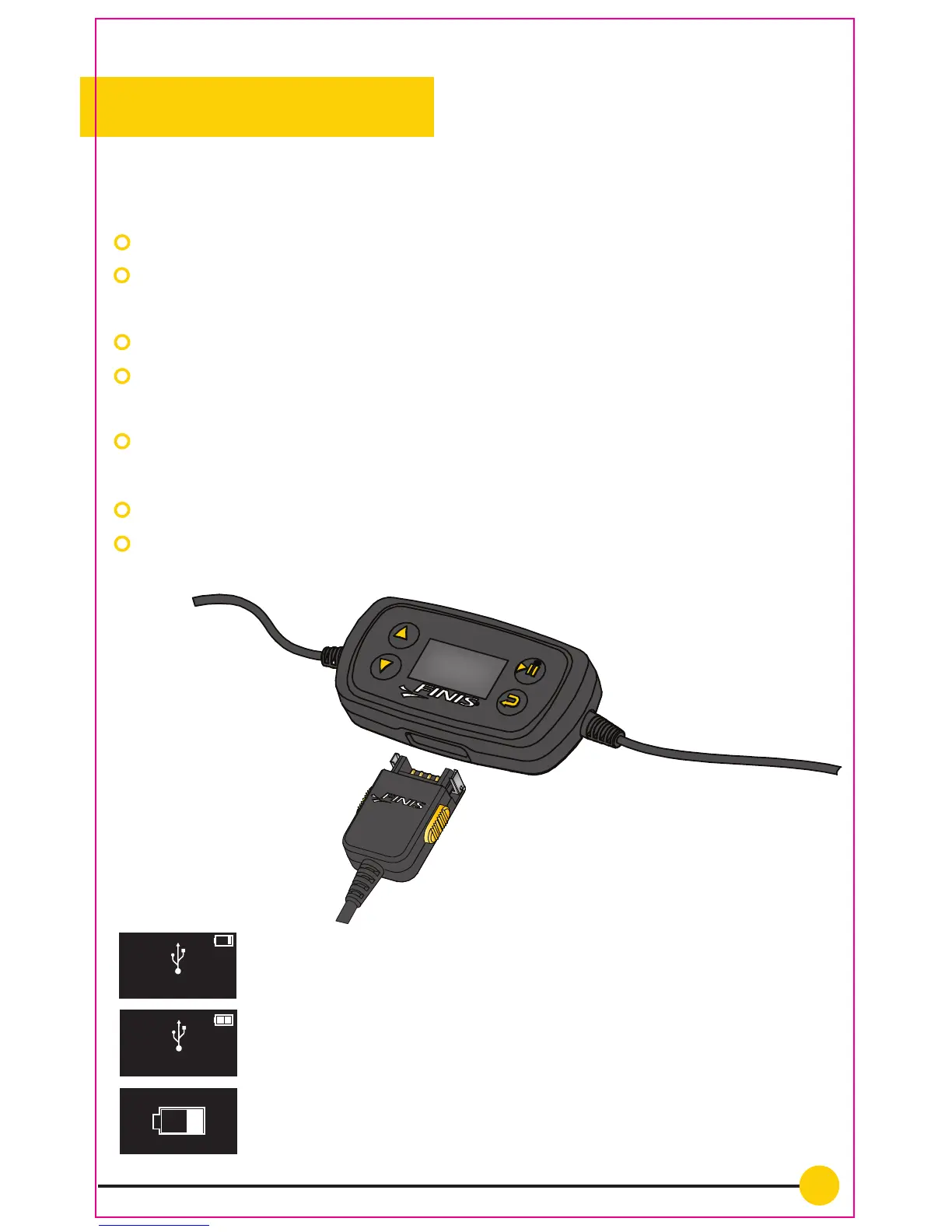
You can charge and upload songs to Neptune using the included
charging cable.
Plug the charging cable directly into the bottom of the back unit.
Plug the USB directly in to the computer’s USB port. The computer
automatically recognizes the device.
The display will read ‘USB Connected’ when the device is charging.
The battery icon will also show a progression to show the device is
charging.
Total charge time is 3 hours. When the device is charged the display
will read ‘Battery Full’.
The rechargaeble Lithium-Ion battery lasts up to 8 hours.
Don’t have a computer? The Neptune is compatible with a USB wall
charger (sold separately).
‘USB Connected’ and the device is charging
The device is now fully charged
Baery Full
The device is charging via a USB wall charger
USB Connected


 To Next Page