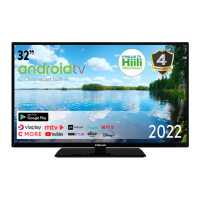
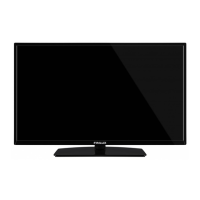
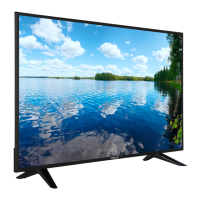
This document is a user manual for a FINLUX 32-FHF-4121 color television. It provides instructions and information in multiple languages, including Finnish, Swedish, English, and Estonian.
Function Description
The FINLUX 32-FHF-4121 is a color television designed for household and similar indoor use, but can also be used in public places. It features a full range of functionalities for viewing broadcast and digital media. The TV includes a remote control for easy operation and a single control button on the TV itself for basic functions like volume, channel, source, and standby. It supports various input sources, including HDMI and USB, allowing for connection to external devices like DVD players, set-top boxes, and USB storage for media playback. The television also incorporates an Electronic Program Guide (EPG) for viewing broadcast schedules and Text-TV services for additional information. Advanced features like CEC (Consumer Electronics Control) enable control of HDMI-connected devices with the TV's remote. The TV supports automatic software updates via broadcast signals to ensure it runs the latest firmware.
Important Technical Specifications
- Model: 32-FHF-4121
- Display Size: 32 inches
- TV Broadcasting: PAL B/G D/K K I/I'
- Receiving Channels: VHF (BAND I/III) - UHF (BAND U) - HYPERBAND
- Digital Reception: Fully integrated digital terrestrial-cable TV (DVB-T2-C) (DVB-T2 compliant)
- Number of Preset Channels: 1000
- Channel Indicator: On Screen Display
- RF Aerial Input: 75 Ohm (unbalanced)
- Operating Voltage: 220-240V AC, 50Hz.
- Audio: DTS TruSurround HD
- Audio Output Power (WRMS. 10% THD): 2 x 6
- Power Consumption (W): 60W
- TV Dimensions DxLxH (with foot): 197 x 732 x 480 mm
- TV Dimensions DxLxH (without foot): 50/78 x 732 x 435 mm
- Operation Temperature and Humidity: 0°C up to 40°C, 85% humidity max
- HDMI Inputs: Supports various resolutions including 480i, 480P, 576i, 576P, 720P, 1080i, and 1080P at different refresh rates (24Hz, 25Hz, 30Hz, 50Hz, 60Hz).
- USB Support: Supports FAT32 and NTFS disk formatting for USB storage devices. Max 500mA for USB devices.
- Supported Media Formats (USB):
- Video: .mpg, .mpeg (MPEG1-2), .vob (MPEG2), .mp4 (MPEG4, Xvid, H.264), .mkv (H.264, MPEG4, VC-1), .avi (MPEG2, MPEG4, Xvid, H.264), .flv (H.264/VP6/Sorenson), .3gp (MPEG4, H.264), .ts, .trp, .tp, .mkv (HEVC/H.265).
- Audio: .mp3 (MPEG1 Layer 2/3), AC3, AAC, EAC3, LPCM, IMA-ADPCM/MS-ADPCM, LBR.
- Picture: .jpeg (Baseline, Progressive), .bmp.
- Subtitle: .sub, .srt.
- Supported DVI Resolutions: Includes 640x400, 640x480, 800x600, 832x624, 1024x768, 1152x864, 1152x870, 1280x768, 1360x768, 1280x960, 1280x1024, 1400x1050, 1440x900, 1600x1200, 1680x1050, 1920x1080 at various refresh rates (56Hz, 60Hz, 66Hz, 70Hz, 72Hz, 75Hz).
Usage Features
- First Time Installation: Guides the user through language selection and initial setup, including antenna/cable type and channel scanning.
- Channel List: Allows users to view, edit, filter, and manage favorite channels.
- Media Browser: Accesses and plays photo, music, and video files from a connected USB device. Supports various playback modes like continuous play, repeat, and shuffle.
- Picture Menu: Adjusts picture settings such as mode (Cinema, Game, Sports, Dynamic, Natural), contrast, brightness, sharpness, color, energy saving, backlight, dynamic contrast, noise reduction, color temperature, white point, picture zoom, film mode, skin tone, color shift, and HDMI full range.
- Sound Menu: Controls audio settings including volume, equalizer, balance, headphone volume, sound mode, AVL (Automatic Volume Limiting), headphone/lineout selection, dynamic bass, and digital out audio type.
- Settings Menu: Provides options for conditional access, language, parental controls (menu lock, maturity lock, child lock, PIN management), timers, date/time, source selection, accessibility (hard of hearing, audio description), menu timeout, standby mode LED, software upgrade, application version, subtitle mode, auto TV off, store mode, power up mode, CEC, and OSS (Open Source Software) license information.
- EPG (Electronic Program Guide): Displays broadcast schedules with different layouts (timeline, list, now/next). Allows filtering by genre and setting timers for upcoming events.
- Text-TV: Provides access to teletext services, with a mix mode to view teletext and TV broadcast simultaneously.
- Remote Control: A comprehensive remote control with numerical buttons, directional pads, volume/channel controls, menu access, media playback buttons, and color-coded function buttons.
- Control Button on TV: A single multi-function button on the TV for basic operations like power, volume, channel, and source selection.
Maintenance Features
- Software Upgrade: The TV can automatically find and update its software via broadcast signals. Users can also manually check for updates through the menu.
- Troubleshooting Guide: The manual includes a section for common issues like "TV does not start," "Poor picture," "No picture," "No sound," and "Remote control not working," offering solutions such as checking power connections, antenna connections, and battery replacement.
- Factory Reset: The "First Time Installation" option allows users to delete all stored channels and settings, resetting the TV to its factory defaults.
- Environmental Information: The TV is designed to be environmentally friendly. The manual provides tips on reducing energy consumption, such as adjusting energy saving settings and turning off the screen when not in use.
- Battery Disposal: Instructions for proper disposal of old equipment and batteries are provided, emphasizing not to dispose of them as general household waste and to use appropriate recycling facilities.

 Need help?




 To Next Page
 General