
 Need help?
Do you have a question about the Finlux 32FLKR274S and is the answer not in the manual?
Explains symbols and markings on the TV for safety and compliance.
Guides on using physical TV controls, selecting inputs, and adjusting channels/volume.
Details on remote control operation and battery installation for effective use.
Instructions for safely connecting the power cord and antenna to the TV.
Information about messages shown when the TV enters standby mode automatically.
Guidance on proper disposal of old electronic equipment and batteries as per EU regulations.
A list of the TV's technical details, including dimensions, power consumption, and broadcast standards.
Comprehensive explanation of each button's function on the TV remote control.
Details on various TV input/output connectors like HDMI, USB, and AV, and their usage.
Steps for turning the TV on/off and completing the first-time setup wizard.
How to select and scan for broadcast types such as Aerial, Cable, and Analogue signals.
Instructions for playing media files from connected USB storage devices.
Guides on recording live TV, instant recording, and timeshifting features.
How to watch recorded programs and utilize slow playback features.
Configuration options for recording, including disk formatting and speed requirements.
How to access and play photos, music, and videos from connected USB devices.
Controls for connected HDMI CEC devices and audio system integration.
Guide to accessing and navigating the TV's built-in electronic manual for help.
Detailed explanation of all adjustable picture settings for optimal viewing experience.
Comprehensive guide to adjusting TV sound, volume, equalizer, and audio output options.
Explains system settings like language, parental controls, timers, and software upgrades.
Details on automatic/manual channel scanning, network setup, and factory reset.
How to edit, filter, and manage favorite channels within the TV's channel list.
Setting up PIN, menu lock, maturity lock, and child lock for content restriction.
Using the EPG to view schedules, search programs, and set recording timers.
Instructions on accessing and using Teletext and Digital Teletext features.
Steps to check for, download, and install TV software upgrades for improved performance.
Guides on resolving frequent problems like no power, poor picture, no sound, or remote control malfunctions.
Table listing supported PC resolutions and refresh rates for optimal display connection.
Information on supported AV and HDMI signal standards, resolutions, and frequencies.
List of video file formats, codecs, and specifications compatible with USB playback.
List of image file formats and resolutions supported for display via USB.
Details on audio file formats, codecs, bit rates, and sample rates for USB playback.
Information on internal and external subtitle file formats compatible with USB media playback.
Table detailing DVI resolutions supported by the TV when using a converter cable.
Official product fiche data including energy efficiency, screen size, and consumption details.
 General
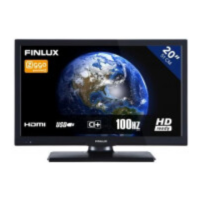
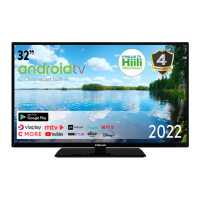
| Screen Size | 32 inches |
|---|---|
| Display Type | LED |
| HDMI Ports | 2 |
| USB Ports | 1 |
| Display Resolution | 1366 x 768 |
| Built-in Wi-Fi | Yes |
| Tuner | DVB-T2/C/S2 |




 To Next Page