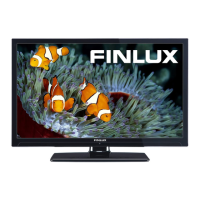
Need help?
Do you have a question about the Finlux 32F8072-T and is the answer not in the manual?
Cautions against opening the unit, user-serviceable parts, and risks for vulnerable users and children.
Covers safe positioning, power source, and handling of the power cord and plug.
Advises on avoiding moisture, heat, ensuring ventilation, and safe screen care/cleaning.
Explains Power Save Mode (Eco) and actions to reduce energy consumption.
Emphasizes that only qualified personnel should perform repairs on the TV.
Lists the items that come with the TV, such as remote control, batteries, and cables.
Lists remote control, tuner, HDMI inputs, USB input, and recording features.
Details teletext, headphone connection, network connectivity, and DLNA support.
Explains how to navigate the TV's main menu using remote control buttons.
Describes how to switch between different input sources connected to the TV.
Details how the physical control button operates volume, channels, source, and standby.
Explains specific sequences for changing volume, channel, source, and turning the TV off.
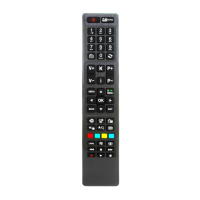
Lists and describes the functions of various buttons on the remote control.
Explains how to assign custom functions to 'My Button 1' and 'My Button 2'.
Illustrates different connectors (Scart, VGA, HDMI, USB, CI) and required cables.
Important advice on using Side AV, SCART, and CI modules, including safety precautions.
Guides on obtaining, inserting, and activating a Conditional Access Module (CAM).
Explains standby messages for signal loss, inactivity, and auto TV off.
Step-by-step guide on opening the remote, inserting batteries, and replacing the cover.
Instructions for connecting the power cord and antenna cable to the TV set.
Details methods to switch the TV on/off from standby using the remote or side switch.
Guides through language, country, and channel scan setup for first-time installation.
Advises on choosing between Home Mode and Store Mode for optimal TV usage.
Instructions for connecting USB drives and compatibility notes for devices and file systems.
Important warning about backing up files before connecting USB devices to prevent data loss.
Explains how to access the Media Browser and play media files from USB drives.
Describes how to change the picture's aspect ratio (image size) using remote buttons.
Explains how to view, edit, and manage the stored channel list using the TV's menu.
Guides on selecting specific broadcast types to display in the channel list.
Explains how to use the Q.MENU button to access frequently used settings.
Details settings like Mode, Contrast, Brightness, Sharpness, and Colour.
Covers Dynamic Contrast, Colour Temp, Picture Zoom, and HDMI True Black.
Explains specific picture settings for PC input like Auto Position and H/V Position.
Details settings for Volume, Equalizer, Balance, Sound Mode, and AVL.
Covers Automatic Channel Scan, Manual Channel Scan, and First Time Installation.
Lists settings like Conditional Access, Language, Parental Controls, and Timers.
Explains settings such as Menu Timeout, Scan Encrypted, Software Upgrade, and Auto TV Off.
Details features like Standby Search, Store Mode, DLNA, and Power Up Mode.
How to view and navigate the EPG, display program details, and access event options.
Guides on scheduling programme recordings and setting timers using the EPG.
Details the necessary USB drive capacity and speed compatibility for recording.
Notes on recording duration, file partitioning, and potential playback issues.
How to navigate to and select recorded items from the Recordings Library.
Explains options for playing back recorded content like Play from start and Resume.
Instructions for formatting a USB disk for recording, including data loss warnings.
Steps to connect the TV to a wired network via an Ethernet cable and modem/router.
Details how to configure wired network settings, including IP address and status.
Explains how to access and modify advanced wired network settings on the TV.
Instructions for connecting the TV to a wireless network using a USB dongle.
Lists requirements for wireless connection, including visible SSID and Nero Media Home software.
Discusses factors affecting wireless performance like router type, distance, and obstructions.
Step-by-step guide to scan for available Wi-Fi networks and connect using a password.
How to view Wi-Fi status, IP address, and connected network name.
Instructions for deleting saved WiFi profiles.
Guides on connecting a mobile phone to the TV via WiFi to share content.
Troubleshooting tips for when the wireless network is not available or not functioning properly.
Advice for troubleshooting if the wired network connection is not working.
Explains DLNA and the requirement for Nero Media Home software installation.
How to access and play shared media files from DLNA-compatible devices via the Media Browser.
Instructions on how to access and use the TV's internet portal for viewing online content.
Information on Picture-in-Picture (PIP) window usage and navigating the portal interface.
How to access and use the digital teletext service via the remote control.
Explains how the TV finds and updates its software via aerial or internet.
Troubleshooting steps for no power, no picture, and no sound issues.
Solutions for unresponsive remote controls and problems selecting input sources.
Lists trademarks and licenses used in the product, such as Dolby and DLNA.
Details supported TV broadcasting standards and digital reception formats.
Outlines audio output power, power consumption, and panel aspect ratio.
Details compatibility with Windows XP/7 and initial installation steps for Nero MediaHome.
Guides through the Nero MediaHome installation wizard, including license agreement.
Explains selecting installation types and checking for required third-party software.
Covers the installation process progress and final data collection screen.
Steps for completing installation, creating shortcuts, and starting the media server.
Instructions on adding folders to share and starting the media server for network access.
How to use remote buttons to navigate websites, access quick pages, and add bookmarks.
Details zoom, clearing data, USB mouse support, and browser restrictions.
Steps for connecting a webcam, network needs, and initial Skype usage notes.
Information on initial setup screen, camera compatibility, and emergency call limitations.
Instructions for signing in with an existing Skype account or creating a new one.
How to view the contact list, mood message, and camera preview after logging in.
Guides on finding and adding new contacts using their name, Skype name, or email.
How to view recent call history, delete conversations, and access profile information.
How to select a person and choose actions like voice or video calls.
Details on muting microphone, holding calls, and ending conversations.
Explains how incoming call notifications appear and how to accept or decline them.
Guides on using Skype Credit to call regular phone numbers.
How to change various Skype settings like ringing, contact list order, and auto-start.
Lists typical video display modes and resolutions supported by the TV when connected to a PC.
Details the video, audio, and photo file formats supported by the TV's USB media browser.
Information on supported resolutions when connecting a PC via DVI converter cables.
Steps to program a SKY remote control to operate the TV.
Table detailing available AV and HDMI signal types and compatibility with the TV.
Explains mains lead color coding, plug connection, and fuse replacement.
General safety precautions for electrical connections and equipment use.
Lists product number, model, energy efficiency class, and screen size.
Provides details on power consumption in different modes and the display resolution.
Outlines the 12-month warranty period, repair/replacement conditions, and exclusions.
Information on authorized service partners, repair process, and customer support contact details.
Lists common reasons for warranty voidance like misuse, improper installation, and unauthorized repairs.
Details exclusions for products in mobile dwellings, missing serial numbers, and data loss.

 To Next Page
 General