Need help?
Do you have a question about the Finlux 50FPD274B-T and is the answer not in the manual?
Explains symbols used on the product for safety instructions and precautions.
Details on how to reduce energy consumption via TV settings like backlight and power saving modes.
Lists all the items provided in the TV package.
Explains automatic standby mode and related messages displayed on the TV.
Details the function of the physical control buttons on the TV set itself.
Guides on how to use the main menu and navigate through it with the remote.
Provides detailed technical data of the TV, including broadcasting, display, and power.
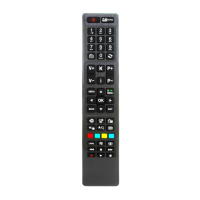
Explains the function of each button on the TV remote control for full operation.
Details how to connect various external devices using different ports like SCART, HDMI, USB, etc.
Guides through the initial setup process, including language and broadcast tuning.
Explains how to choose between digital and analogue broadcast search options.
Details how to play media files from a USB storage device connected to the TV.
Explains how to pause live TV and record it simultaneously for later viewing.
Describes how to start recording a programme immediately using the remote control.
Guides on playing recorded content and configuring recording settings.
Details how to play media files, including loop/shuffle modes, from USB or network.
Covers FollowMe TV, CEC control, System Audio Control, and E-Manual access.
Details various picture settings to adjust image quality, such as mode, contrast, brightness, and sharpness.
Explains sound settings like volume, equalizer, balance, and audio output options.
Covers various system options like parental controls, timers, network settings, and software upgrades.
Details options for automatic and manual channel scanning, network scanning, and initial setup.
Explains how to view, edit, and manage the list of available TV channels.
Guides on creating and managing custom lists of favorite channels.
Details how to set up parental controls, locks, and PINs to restrict content.
Explains how to view TV program schedules and information.
Instructions for accessing and using digital teletext services.
Information on accessing BBC interactive services via the red button.
Guides on how to search for and install TV firmware updates through the menu.
Details how the TV automatically scans for and installs software upgrades.
Provides solutions for frequent problems like TV not turning on, poor picture, no sound, or remote issues.
Lists typical resolutions and refresh rates supported for PC input.
Details the compatible signal formats for AV and HDMI inputs, indicating availability.
Lists video file formats and codecs supported for playback via USB.
Lists audio file formats, codecs, bit rates, and sample rates supported via USB.
Lists subtitle file formats and parsers supported for playback via USB.
Shows supported resolutions and refresh rates when using a DVI to HDMI converter cable.
Instructions for connecting the TV to a wired network via Ethernet for internet access.
Guides on connecting the TV to a wireless network using Wi-Fi.
Details how to connect a mobile device to the TV wirelessly for content sharing.
Explains how to use the TV as a wireless display for streaming content from mobile devices.
Solutions for problems like network unavailability, slow connections, and interruptions.
Instructions for installing Nero Media Home software required for media sharing.
Guides on accessing and using the TV's internet portal for various applications and services.
Detailed instructions on navigating, searching, bookmarking, and using the TV's web browser.
Steps to connect the TV and mobile device for using the Smart Centre application.
Overview of the different tabs and features available on the Smart Centre app.
Instructions for streaming TV content to a mobile device using the FollowMe TV feature.
Guides on using the mobile device as a remote control for the TV.
Explains the wiring color codes and safety precautions for connecting the TV to the mains power supply.
Provides a summary of key product specifications and energy efficiency details.

 To Next Page
 General