
 Need help?
Do you have a question about the Finlux 43-FFD-4220 and is the answer not in the manual?
Important precautions for safe operation, handling, ventilation, and avoiding hazards.
Explanations of symbols indicating safety standards and potential risks on the product.
Warnings about battery ingestion, handling, and storage to prevent harm.
Guidelines for safe placement on furniture and anchoring to prevent falls.
Detailed guide on using the remote for menu navigation and command execution.
Detailed explanation of remote buttons and how to navigate menus.
Controls for media playback, teletext access, and source selection.
Step-by-step process for initial TV setup, language, and channel tuning.
Steps for recording programs and using timeshift functionality.
Controlling CEC-enabled devices via HDMI using the TV remote for seamless operation.
Using the TV with external audio systems via Audio Return Channel (ARC).
Options for picture modes, contrast, brightness, sharpness, and colour adjustments.
How the TV automatically searches and installs firmware updates via the broadcast signal.
Solutions for common problems like the TV not turning on or poor picture quality.
Troubleshooting steps for no picture, no signal, or no sound problems.
 General
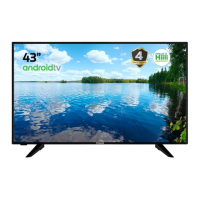
| Screen Size | 43 inches |
|---|---|
| Display Resolution | 1920 x 1080 pixels |
| HDMI Ports | 3 |
| USB Ports | 2 |
| Display Technology | LED |
| Refresh Rate | 60 Hz |
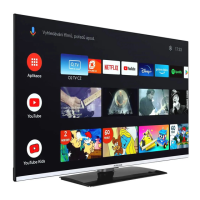
| Smart TV | Yes |
| Operating System | Android |
| Wi-Fi | Yes |
| Bluetooth | Yes |
| Energy Efficiency Class | A |


 To Next Page