Step 2
: Go to the watch and swipe left to the phone
function
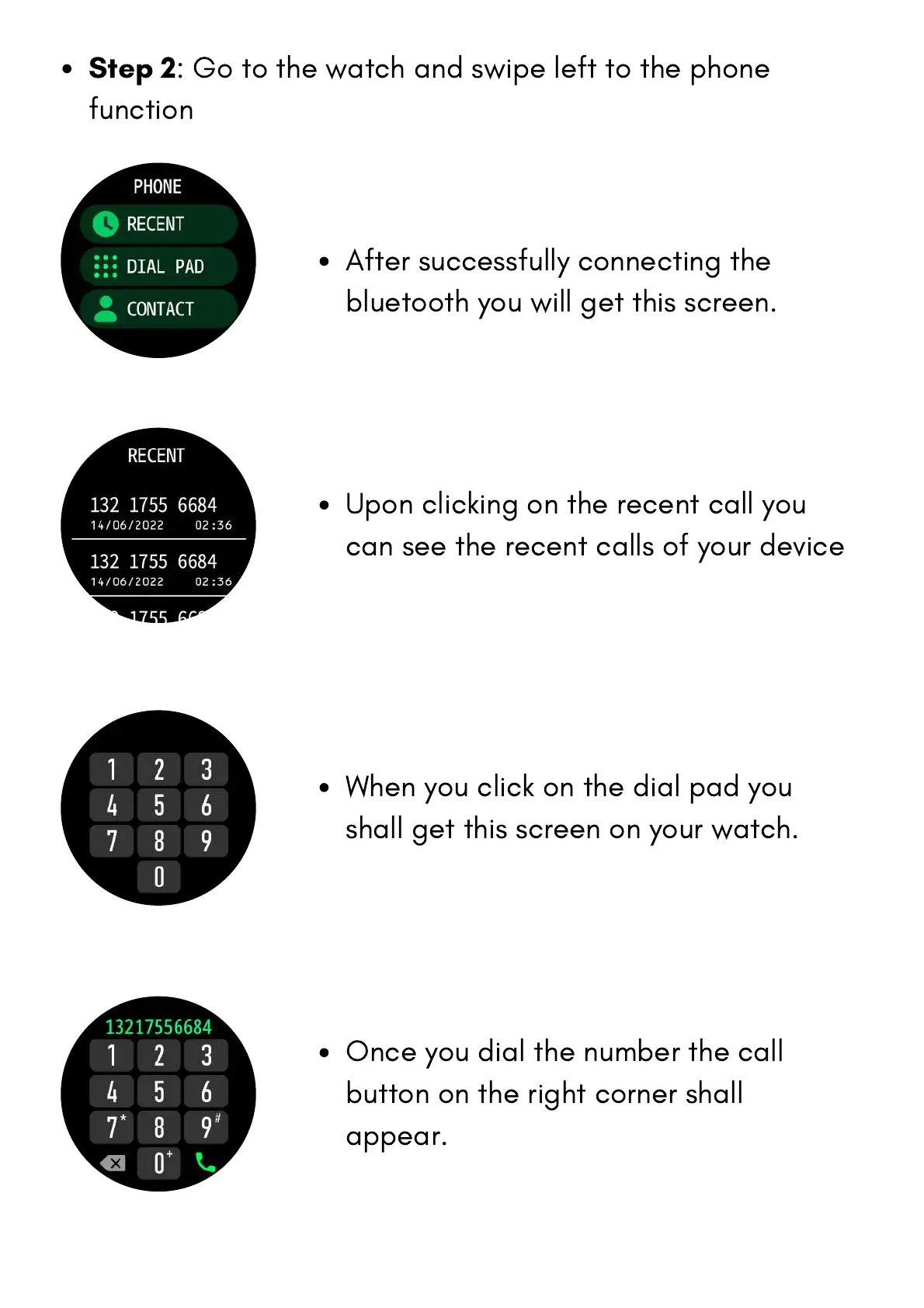
After successfully connecting the
bluetooth you will get this screen.
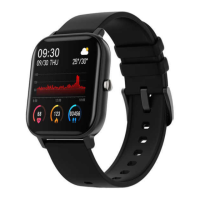
Upon clicking on the recent call you
can see the recent calls of your device
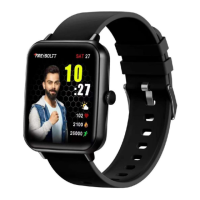
When you click on the dial pad you
shall get this screen on your watch.
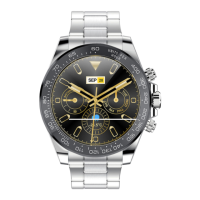
Once you dial the number the call
button on the right corner shall
appear.


 To Next Page