Bluetooth Calling Function
After watch connecting with APP and phone
Bluetooth.You can make or receive phone calls,
check call records,check contacts.
Note:Please make sure to connect smart watch
both with FB Invincible Plus APP and Phone Blue-
tooth before you use Bluetooth Calling functions.
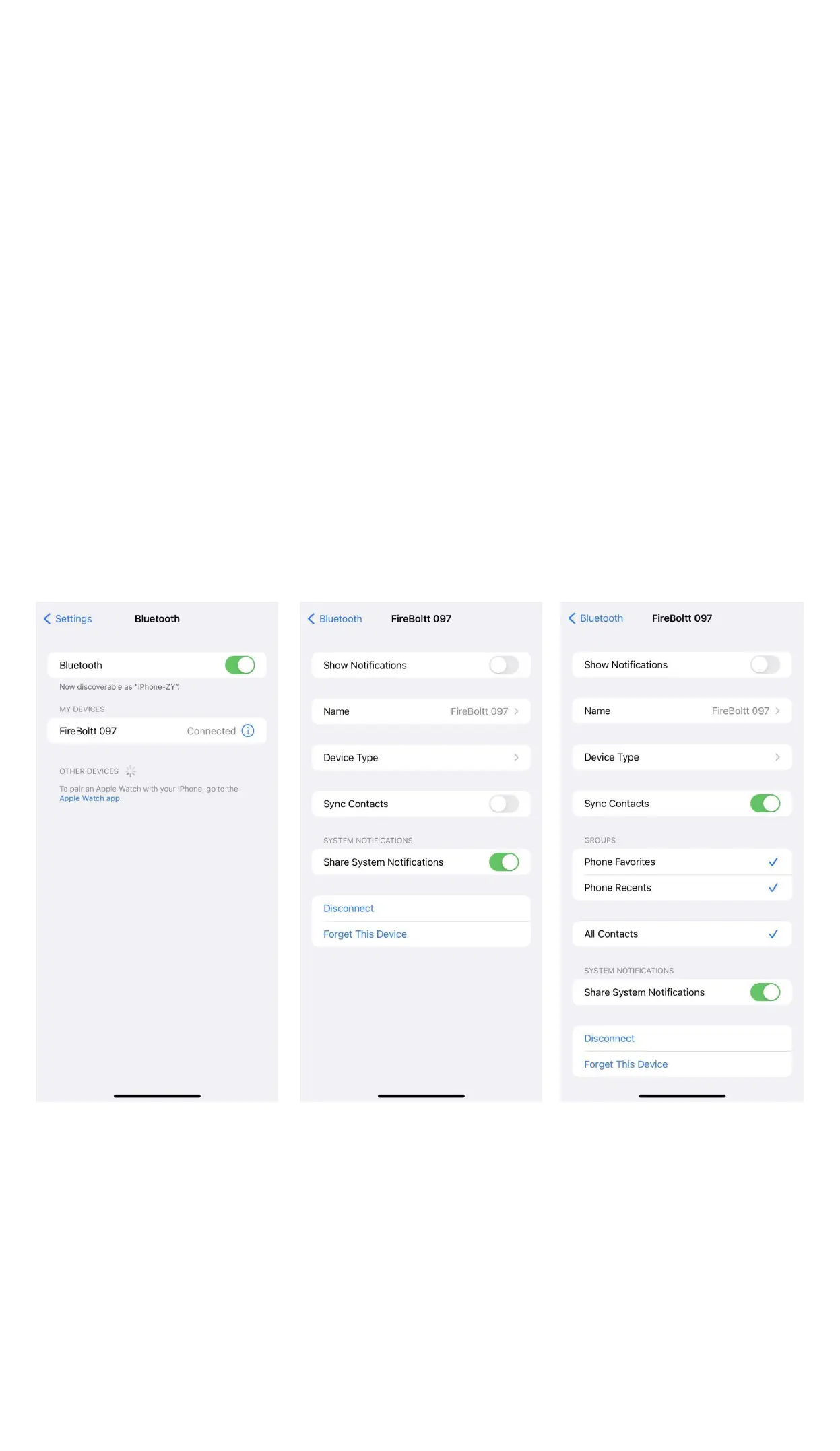
For iOS,you need to go to smartphone bluetooth
list and click “FireBoltt 097” to allow smartwatch
use “Sync Contact” data.
Swipe left or tap Bluetooth Calling icon to enter
into Bluetooth Calling interface.It shows Recents,
Contact and Dialpad in Bluetooth Calling inter-
face.


 To Next Page